

How cases are created
1
Remembered from review decisions
Every human Allow or Reject in the review inbox becomes a case
automatically. An action that neither allows nor rejects is not added, and
only humans set precedent: automated decisions and author actions like block
or warn don’t become cases.
2
Added by hand
When a lookup finds nothing, Add
this as a case lets you teach a decision directly — paste the content,
choose Allow or Reject. Similar content follows from then on.
3
Imported
Seed a new casebook from the last 90 days of your review history, or upload
a CSV of content and rulings from another tool. See importing
cases.
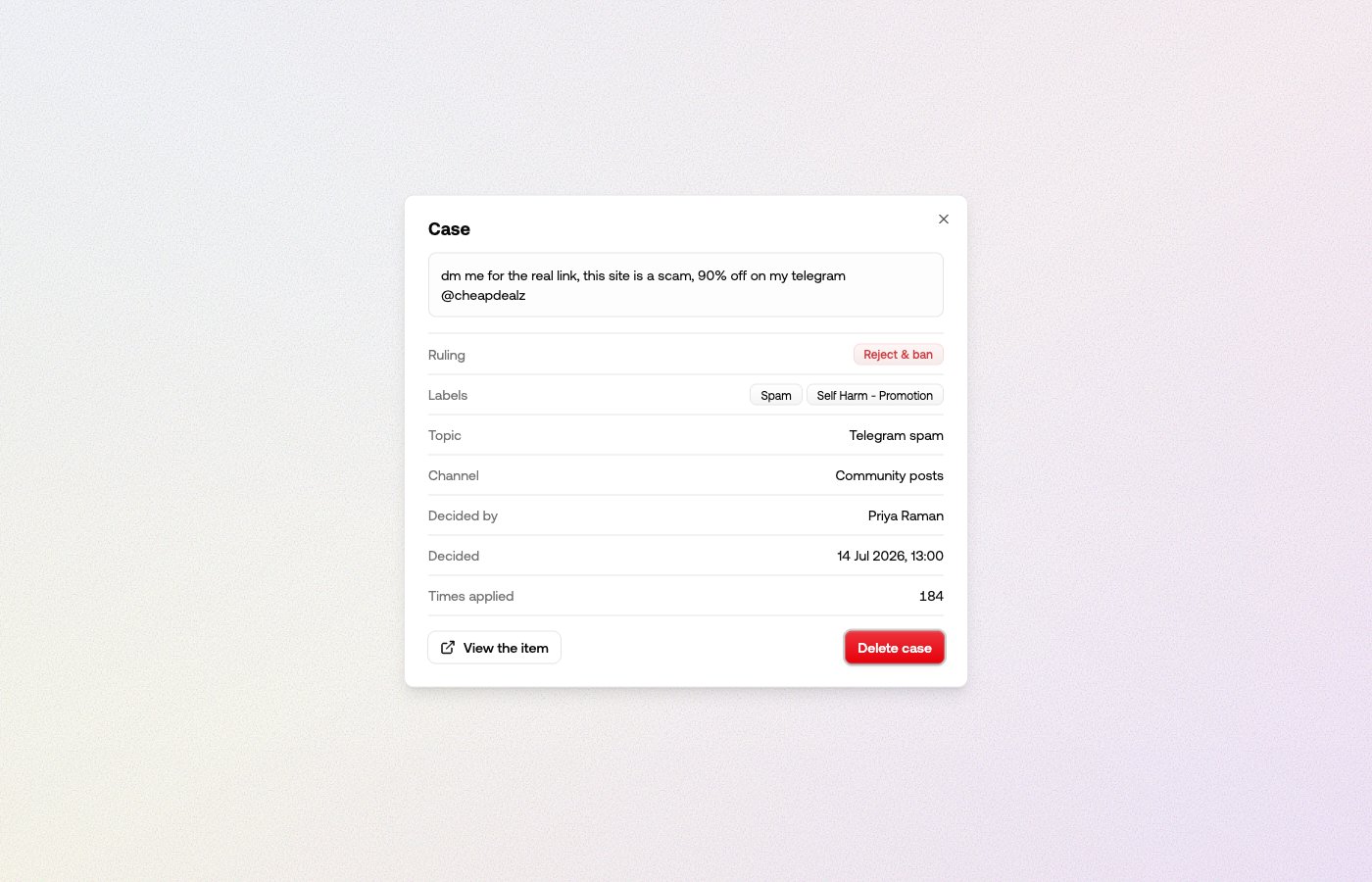
What a case holds
How to enable
The casebook is on by default: new projects remember review decisions, and new channels start with the casebook rule enabled. Two settings control it:- Configure → Casebook turns the casebook on or off for the whole project. Off means nothing is remembered and no lookups run.
- The Casebook lookup rule in each channel’s rules decides whether the casebook may settle content on that channel. Turn it off where you want the casebook to watch and learn but not decide.
Applying rulings is available on the Growth plan and above. Remembering works
on every plan, so your casebook keeps learning in the meantime and the rule
works the moment you upgrade.
Reading the stats
The four cards at the top of the Casebook page:- Awaiting review — what’s sitting in your review queue right now.
- Handled for you — the share of would-be reviews the casebook settled instead, with the item count. Press it to open those items in the queue. While no channel enforces, it reads Casebook could have handled — the reviews you’d have been spared.
- Casebook topics — how many topics your cases are grouped into.
- Disagreements — cases that rule opposite ways on similar content. Until someone resolves them, the casebook applies neither ruling to content like theirs.
Where to go next
- How the casebook rules — when it decides, when it deliberately declines, and how to test it.
- Topics — how the casebook organizes what it remembers, and rules that act on a whole topic.
- Managing your casebook — imports, disagreements, and making the casebook forget a decision.