

Two ways to a ruling
- Recognition. The exact message has been ruled on before, so the same ruling applies without a review.
- Agreement among close cases. The content is very similar to several existing cases, and enough of them agree — “96% of its close cases agree, and that is enough to rule.”
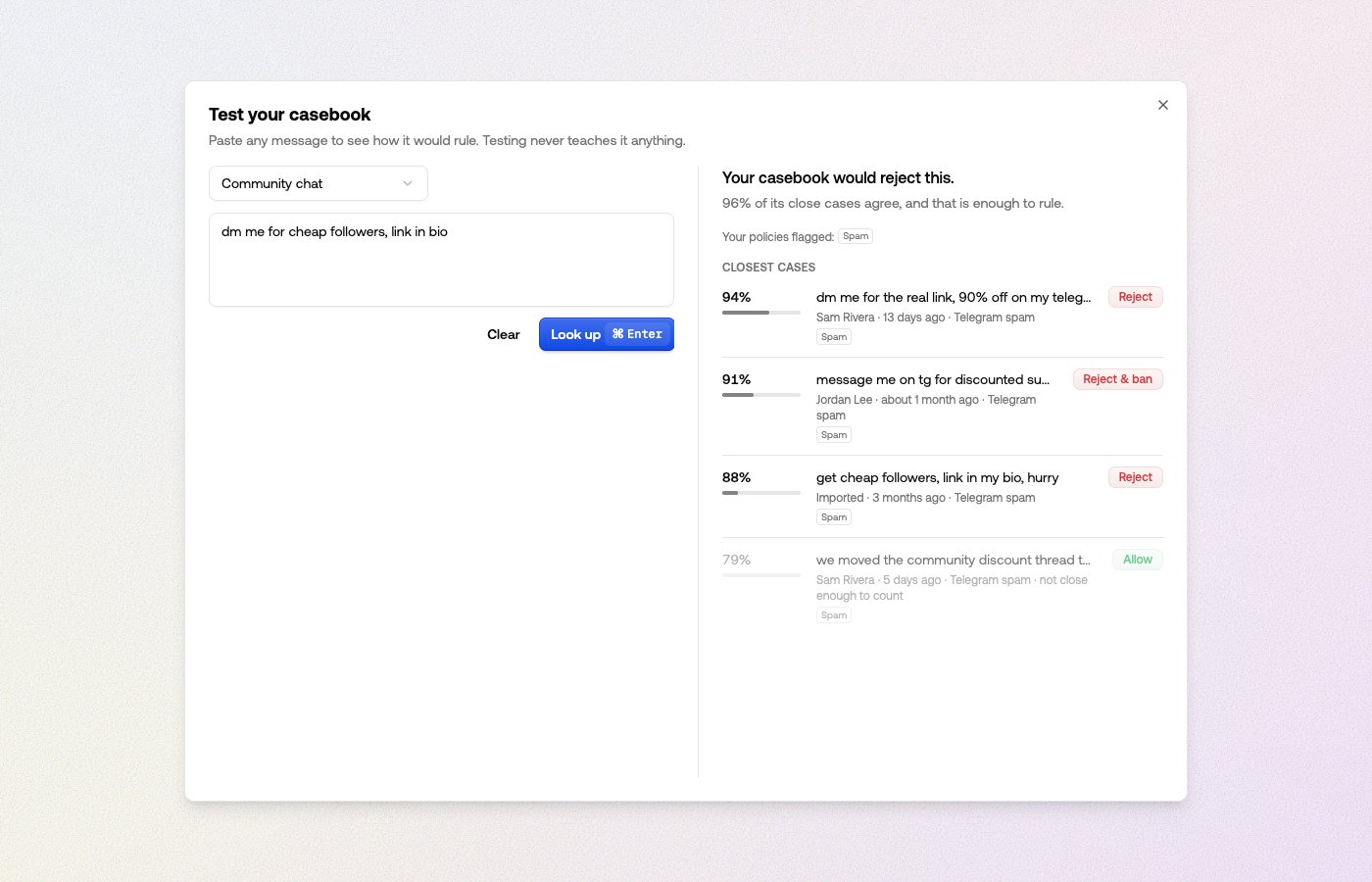
Cases vote only on what they were flagged for
A case’s ruling is scoped by the labels your policies flagged on it. A rejection flagged for spam only counts as precedent for content flagged for spam — in a lookup’s evidence, a case that didn’t participate reads sat out — flags differ, and one that’s too far off reads not close enough to count. This is what makes corrected resubmissions safe: content close to rejected cases but missing the flag that got them rejected goes to a person instead of inheriting the rejection.Cautious in one direction
Overriding your policies takes more evidence than agreeing with them. The casebook is quick to learn rules that are stricter than your policies — things your team rejects that they let through — and deliberately slow to allow content they flagged hard.When it declines to rule
Declining is a feature, not a failure. The casebook sends content to review when: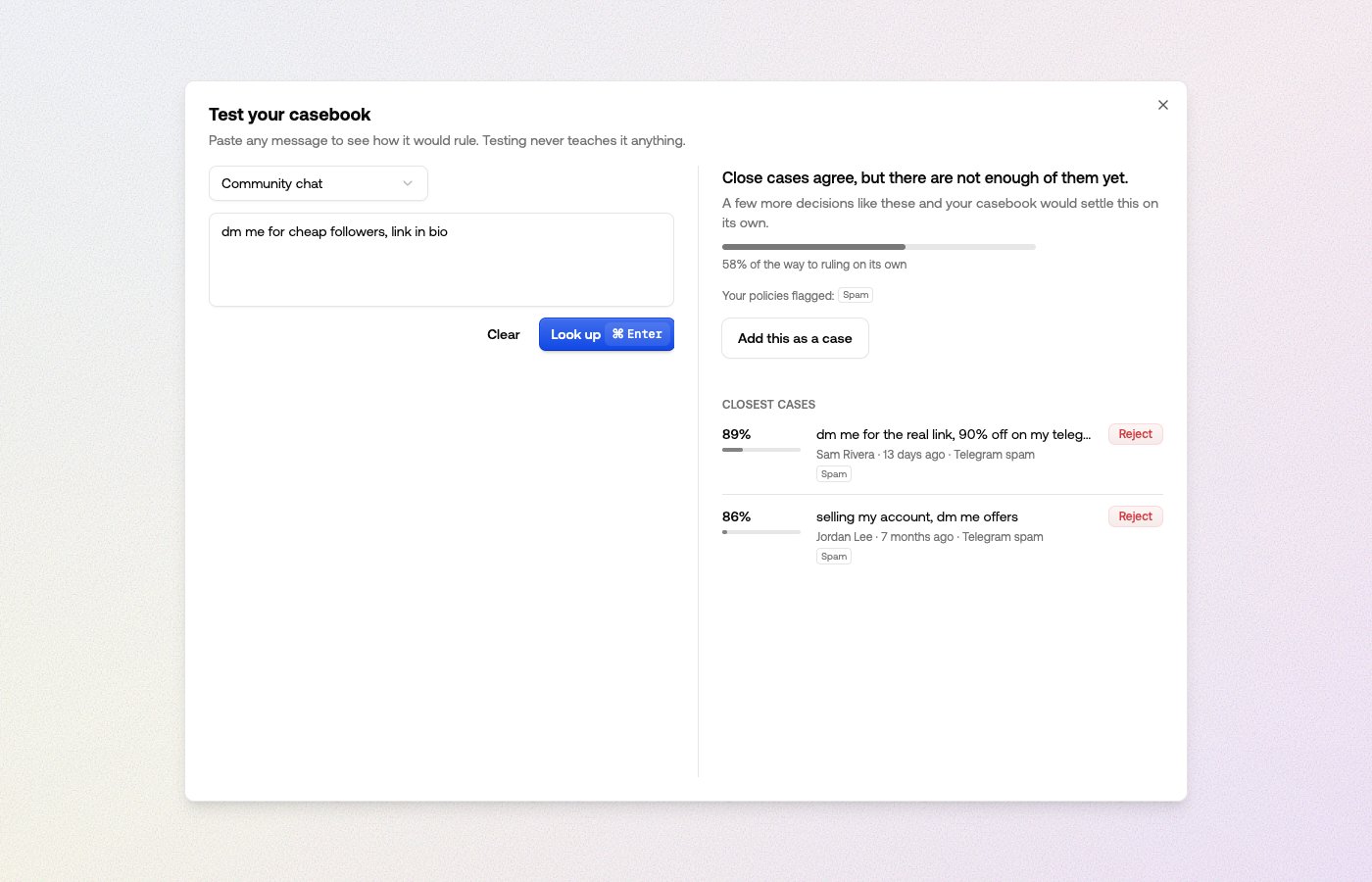
Test your casebook
Look up on the Casebook page opens a test dialog: paste any message, pick a channel, and see how your casebook would rule — the verdict, what your policies flagged, and the closest cases. Testing never teaches it anything. When the lookup finds nothing, Add this as a case teaches the decision on the spot.Precedent while you review
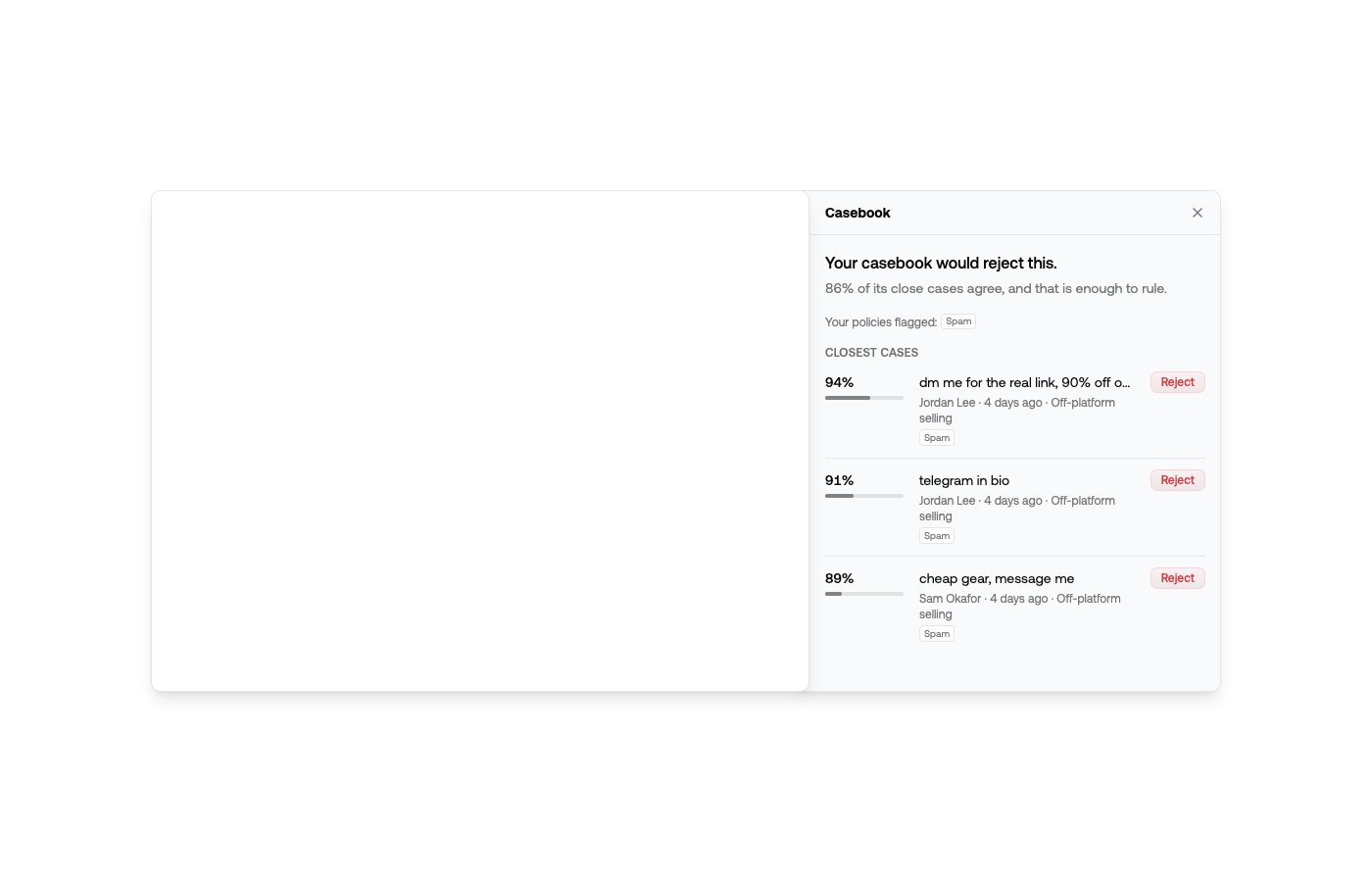
In the API response
When the casebook has a verdict for a request, the moderation response carries acasebook object — the verdict, how close and how unanimous the supporting cases
were, and the topic they belong to. See
checking the casebook
for the field reference and code examples.
Whether the verdict was enforced depends on the channel’s Casebook lookup rule —
when it was, recommendation.reason_codes contains casebook_match, and the item
shows Casebook lookup as its outcome in the dashboard.