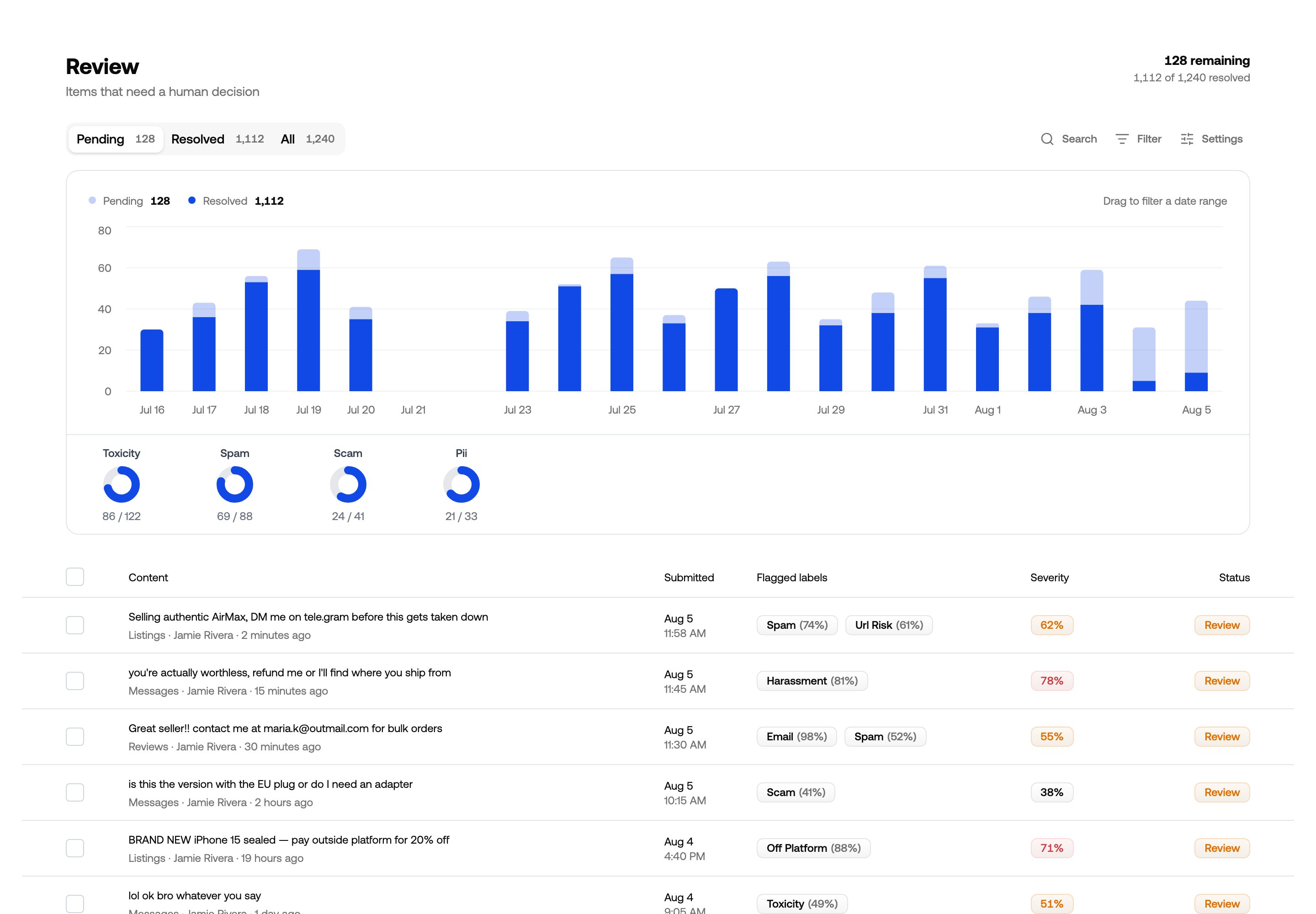
A content view listing items that need a decision
Review is where people look at content. Everything you submit lands there, and you decide what a moderator sees by building content views on top of it.

Inbox and content views
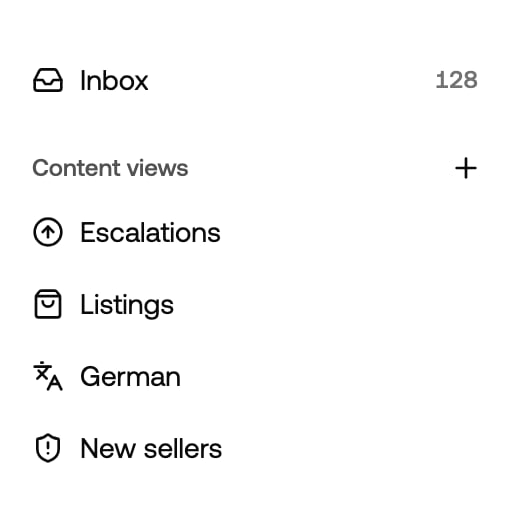
Review sidebar with the inbox pinned above four content views

The inbox is pinned above your saved views

Plenty of content gets flagged, and most of it your rules settle on their own — allowed or rejected on the spot. The rest is the judgement calls: the ones your thresholds and rules deliberately don’t make for you. Inbox is where those land, from every channel. It always exists, you can’t narrow it, and its badge counts what’s still pending. It’s the safety net: if something needs a person, it’s here even when it matches none of your views. What the system settled itself isn’t in the inbox — there’s no decision left to make. It’s all still stored, though, and a view can select it, which is how teams audit their own auto-rejections. Content views are saved slices of the same content — “Escalations”, “German”, “Listings”. A view is a filter plus a few workflow settings, shared with everyone on the project. Views don’t copy or move content, they’re windows onto it, so one item can appear in several at once.
1

Content arrives

Everything you send to a moderation endpoint is stored and can be put in a view. What your rules left for a human also shows up in the inbox.
2

A moderator decides

They open an item, read it in context, and run an action — or correct what the policies got wrong.
3

The item is resolved

Resolved items leave the pending list. Whether they leave other views too is a per-view setting.

Where to go next

Building content views

Create a view, filter it, and save it for the team.

View settings

Ordering, resolve behaviour, deduplication and columns.

Reviewing content

Working through a view, item by item.

Recipes

Views worth copying, and when to use them.