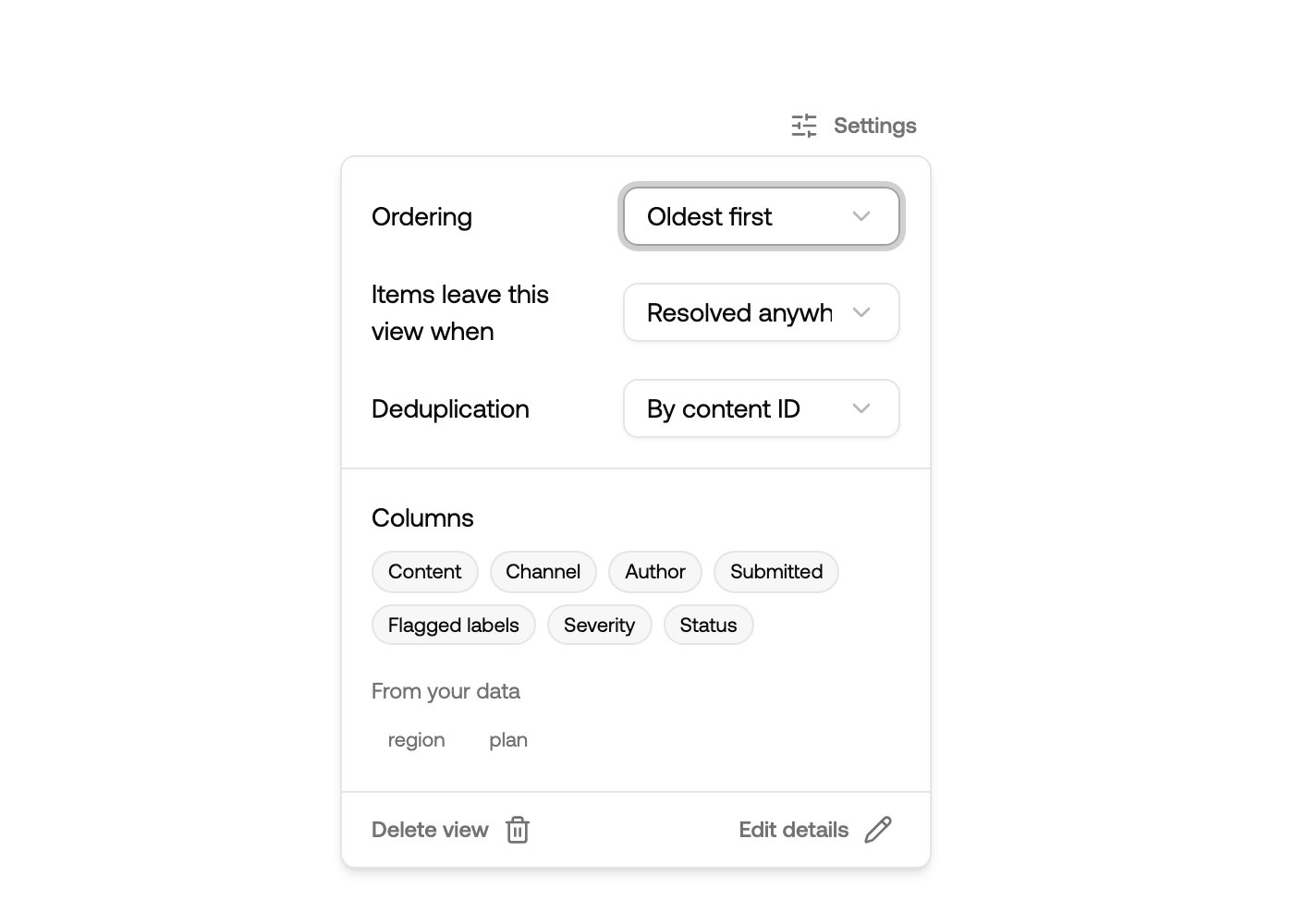
Settings, next to Filter, holds everything about a view that isn’t a filter. Changes save as you make them and apply for everyone.
View settings with ordering, resolve behaviour, deduplication and columns

Ordering

Items leave this view when

This is the difference between a shared window and a separate workload.
  • Resolved anywhere — resolving the item in any view clears it here too. Right for views that slice the same work, like a language view.
  • Resolved here only — the view keeps its own list. An item resolved elsewhere still waits here. Right for a second pair of eyes: escalations, appeals, QA.
The inbox is always resolved anywhere.

Deduplication

Repetitive content collapses into one row with a count, so a spam wave is one decision instead of two hundred.

Columns

Each view chooses its own columns. The built-in ones are Content, Channel, Author, Submitted, Flagged labels, Severity and Status, all on by default. Under From your data, metadata keys found on your recent items are offered too, so you can put your own order number, room name or plan tier right in the list. Values that look like a URL render as links back into your system. Because columns belong to the view, a fraud team’s view can lead with author and metadata while a content team’s view stays focused on the content itself.

Details and deletion

Edit details changes the view’s name, icon and description. Delete view removes the saved definition only — no content is ever deleted, and everything it showed is still in the inbox. The inbox can’t be renamed, refiltered or deleted, and only its ordering, deduplication and columns can be changed.