

Prerequisites
You'll need an API key to use the Moderation API. To get one, you'll need to create a project.1. Install the SDK
Requires Python 3.9 or higher. For improved async performance, install with
pip install moderation_api[aiohttp].2. Submit content
Grab the API key from your project and begin submitting text, images, or other media to your project for moderation.3. Handle errors
The SDK raises specific exception types for different error scenarios:The SDK automatically retries failed requests up to 2 times by default. You can configure retries when initializing the client with
max_retries=0 or per-request.Dry-run mode: If you want to analyze production data but don't want to block content, enable "dry-run" in your project settings.
With dry-run enabled, the API still analyzes content but it always returns flagged: false - yet content still shows in the review queue. This way you can implement your moderation workflows and start testing your project configuration without actually blocking content.
3. Review flagged content (optional)
If the AI flags the content, it will appear in the Review Queue. Head to the review queue to validate that the content is submitted correctly.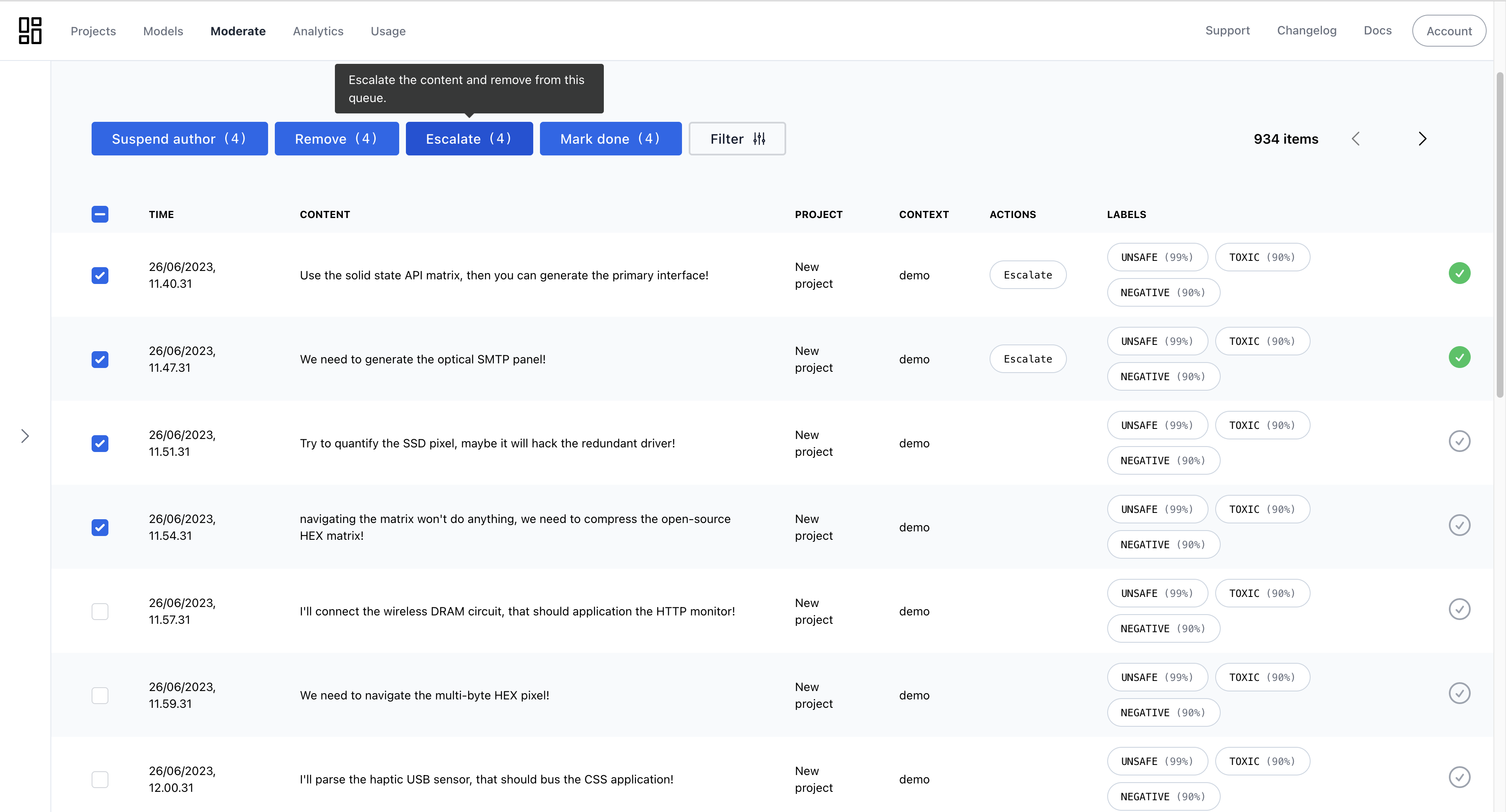
Review queue for reviewing and improving automated moderation
All Done!
Congratulations! You've run your first moderation checks. Here are a few next steps:- Continue tweaking your project settings and models to find the best moderation outcomes.
- Create an AI agent and add your guidelines to it.
- Explore advanced features like context-aware moderation.
- If you have questions, reach out to our support team.