
Prerequisites

You'll need an API key to use the Moderation API. To get one, you'll need to create a project.

1. Install the SDK

Install the official PHP SDK via Composer:
composer require moderation-api/sdk-php
Requires PHP 8.1.0 or higher. The SDK is currently in beta.

2. Submit content

Grab the API key from your project and begin submitting text, images, or other media to your project for moderation.
<?php
use ModerationAPI\Client;

// Initialize the client with your secret key
$client = new Client(secretKey: getenv('MODAPI_SECRET_KEY') ?: 'your-api-key');

// Submit text for moderation
$response = $client->content->submit([
    'content' => [
        'type' => 'text',
        'text' => 'Hello world!'
    ],
    'authorId' => '123',
    'conversationId' => '456',
    'metadata' => [
        'customField' => 'value'
    ]
]);

// Check if content was flagged
if ($response->evaluation->flagged) {
    echo "Content was flagged\n";
}

// Act on the recommendation
switch ($response->recommendation->action) {
    case 'allow':
        echo "Text content is safe.\n";
        // Save to database or proceed...
        break;
    case 'review':
        echo "Text content needs review\n";
        // Send to review queue
        break;
    case 'reject':
        echo "Text content rejected\n";
        // Block the content, show an error, etc...
        break;
}

3. Handle errors

The SDK throws specific exception types for different error scenarios:
<?php
use ModerationAPI\Client;
use ModerationAPI\Core\Exceptions\APIConnectionException;
use ModerationAPI\Core\Exceptions\BadRequestException;
use ModerationAPI\Core\Exceptions\AuthenticationException;
use ModerationAPI\Core\Exceptions\RateLimitException;

$client = new Client(secretKey: getenv('MODAPI_SECRET_KEY') ?: 'your-api-key');

try {
    $response = $client->content->submit([
        'content' => [
            'type' => 'text',
            'text' => 'Hello world!'
        ]
    ]);

    echo "Recommendation: " . $response->recommendation->action . "\n";

} catch (BadRequestException $e) {
    echo "Invalid request: " . $e->getMessage();
} catch (AuthenticationException $e) {
    echo "Authentication failed: " . $e->getMessage();
} catch (RateLimitException $e) {
    echo "Rate limit exceeded: " . $e->getMessage();
} catch (APIConnectionException $e) {
    echo "Connection error: " . $e->getMessage();
}
The SDK automatically retries failed requests up to 2 times by default. You can configure retries globally when initializing the client with maxRetries: 0 or per-request using RequestOptions::with(maxRetries: 5).

Dry-run mode: If you want to analyze production data but don't want to block content, enable "dry-run" in your project settings.
With dry-run enabled, the API still analyzes content but it always returns flagged: false - yet content still shows in the review queue. This way you can implement your moderation workflows and start testing your project configuration without actually blocking content.

3. Review flagged content (optional)

If the AI flags the content, it will appear in the Review Queue. Head to the review queue to validate that the content is submitted correctly.
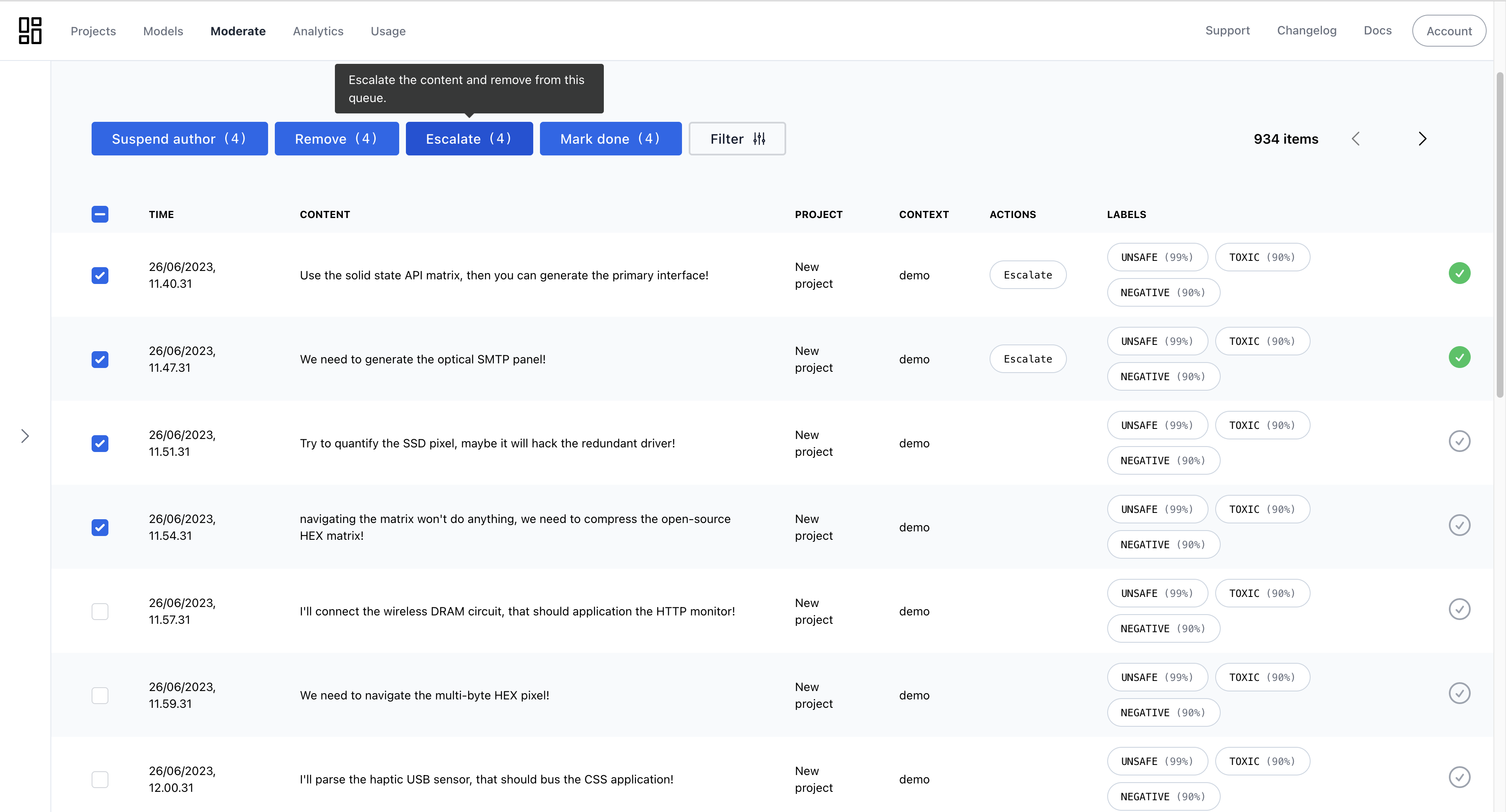
Review queue for reviewing and improving automated moderation

Review queue for reviewing and improving automated moderation

You can use review queues to implement moderation workflows or simply check how the AI is performing.

All Done!

Congratulations! You've run your first moderation checks. Here are a few next steps:
  • Continue tweaking your project settings and models to find the best moderation outcomes.
  • Create an AI agent and add your guidelines to it.
  • Explore advanced features like context-aware moderation.
  • If you have questions, reach out to our support team.
We love hearing from you—please share how you're using the service and let us know if you have suggestions or need help. Happy moderating!