> ## Documentation Index
> Fetch the complete documentation index at: https://docs.moderationapi.com/llms.txt
> Use this file to discover all available pages before exploring further.
# Severity triage
> When the backlog can't be cleared, clear the worst of it
## The problem
Volume spikes — a campaign, a raid, a bad week — and there are more flagged items than
your team can get through today. Working oldest-first, they spend the afternoon on
mild profanity from Tuesday while a credible threat from an hour ago sits unread.
The queue being empty was never the goal. The damaging content being handled is.
## The view
Two views, worked in order:
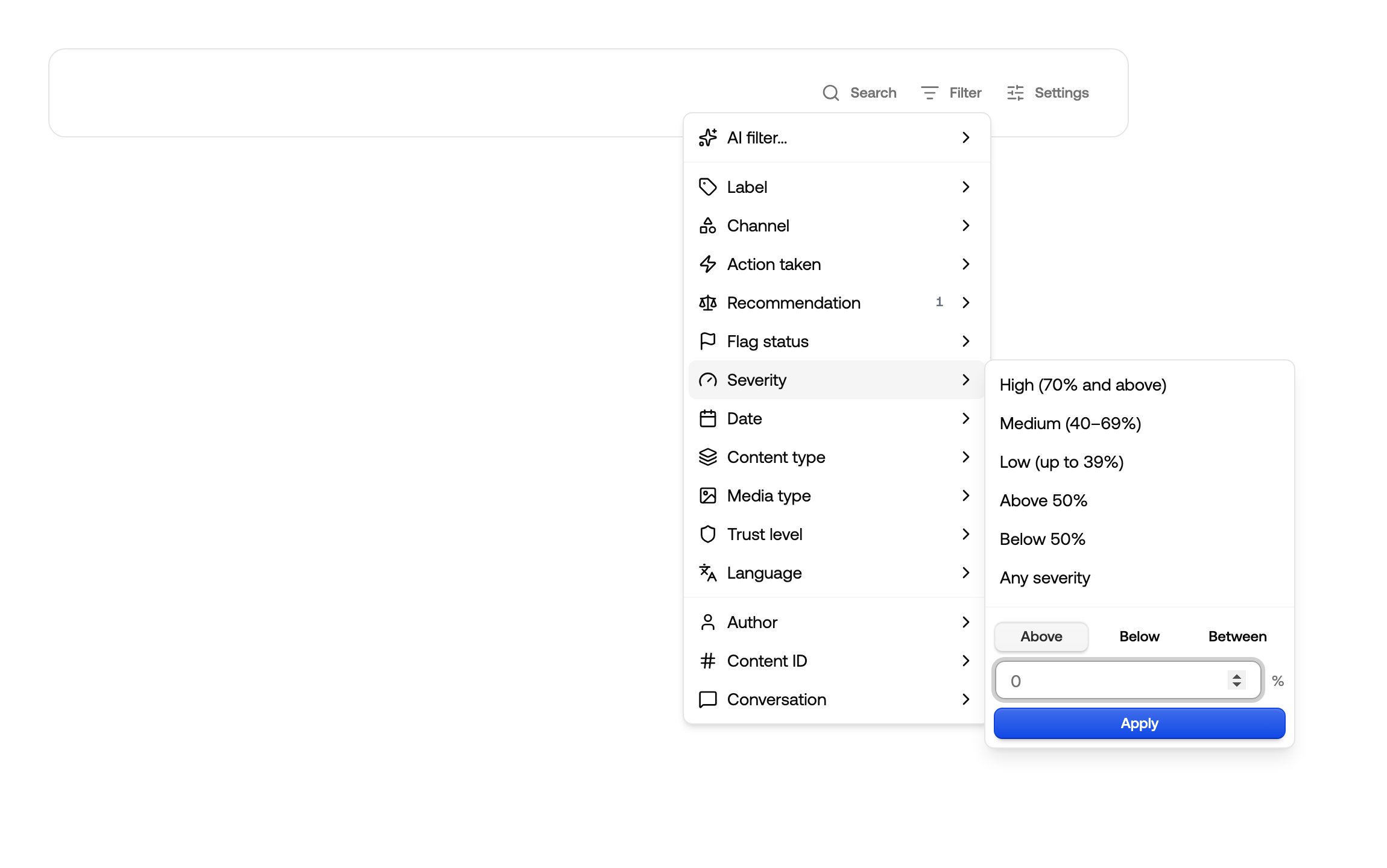
Filter **Severity → High (70% and above)**, and set **Ordering → Highest severity**.
This is the list that gets staffed first.
A second view on **Severity → Medium (40–69%)**, worked when there's room.
 ## Reading the bands
Severity is a single 0–100% score for how bad an item is, and it's the same number the
**Severity** column shows — a view and a badge never disagree. High is 70% and above,
Medium 40–69%, Low up to 39%. You can also type your own bounds if your thresholds sit
elsewhere.
If your High view is never empty, that's a
[threshold](/content-moderation/thresholds) conversation, not a staffing one.
## Reading the bands
Severity is a single 0–100% score for how bad an item is, and it's the same number the
**Severity** column shows — a view and a badge never disagree. High is 70% and above,
Medium 40–69%, Low up to 39%. You can also type your own bounds if your thresholds sit
elsewhere.
If your High view is never empty, that's a
[threshold](/content-moderation/thresholds) conversation, not a staffing one.