> ## Documentation Index
> Fetch the complete documentation index at: https://docs.moderationapi.com/llms.txt
> Use this file to discover all available pages before exploring further.
# Building content views
> Create a saved, filtered slice of your content for your team
A content view is a filter you saved and gave a name. Build one when a group of
moderators, or a recurring task, deserves its own list.
 ## Create a view
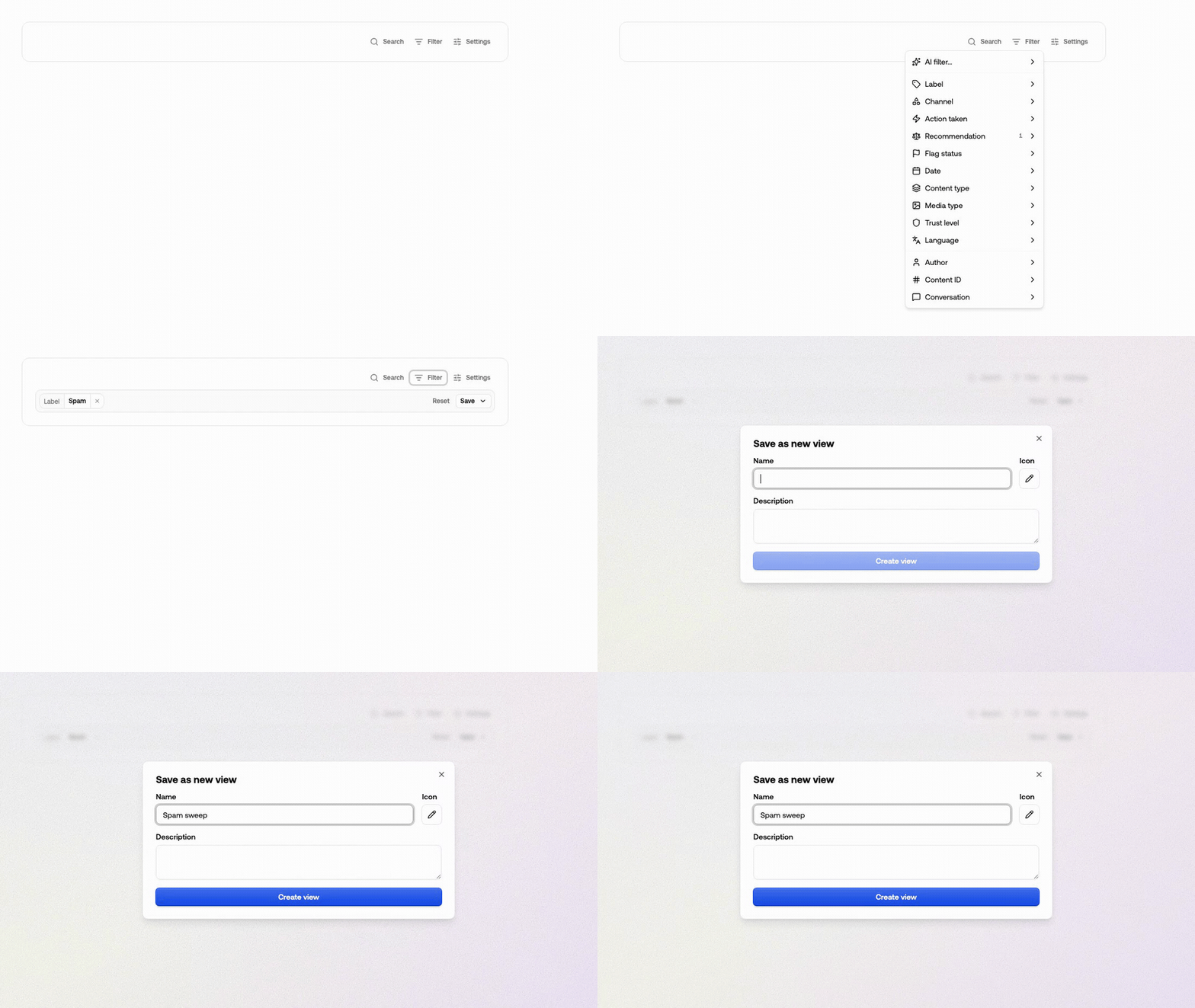
There are two ways in. Start from the sidebar when you know what the view is for; start
from the filter bar when you've been exploring and want to keep what you found — see
[saving what you filtered](#filters-you-set-vs-the-views-own).
Press **+** next to *Content views* in the review sidebar. Give it a name, an
icon and an optional description.
## Create a view
There are two ways in. Start from the sidebar when you know what the view is for; start
from the filter bar when you've been exploring and want to keep what you found — see
[saving what you filtered](#filters-you-set-vs-the-views-own).
Press **+** next to *Content views* in the review sidebar. Give it a name, an
icon and an optional description.
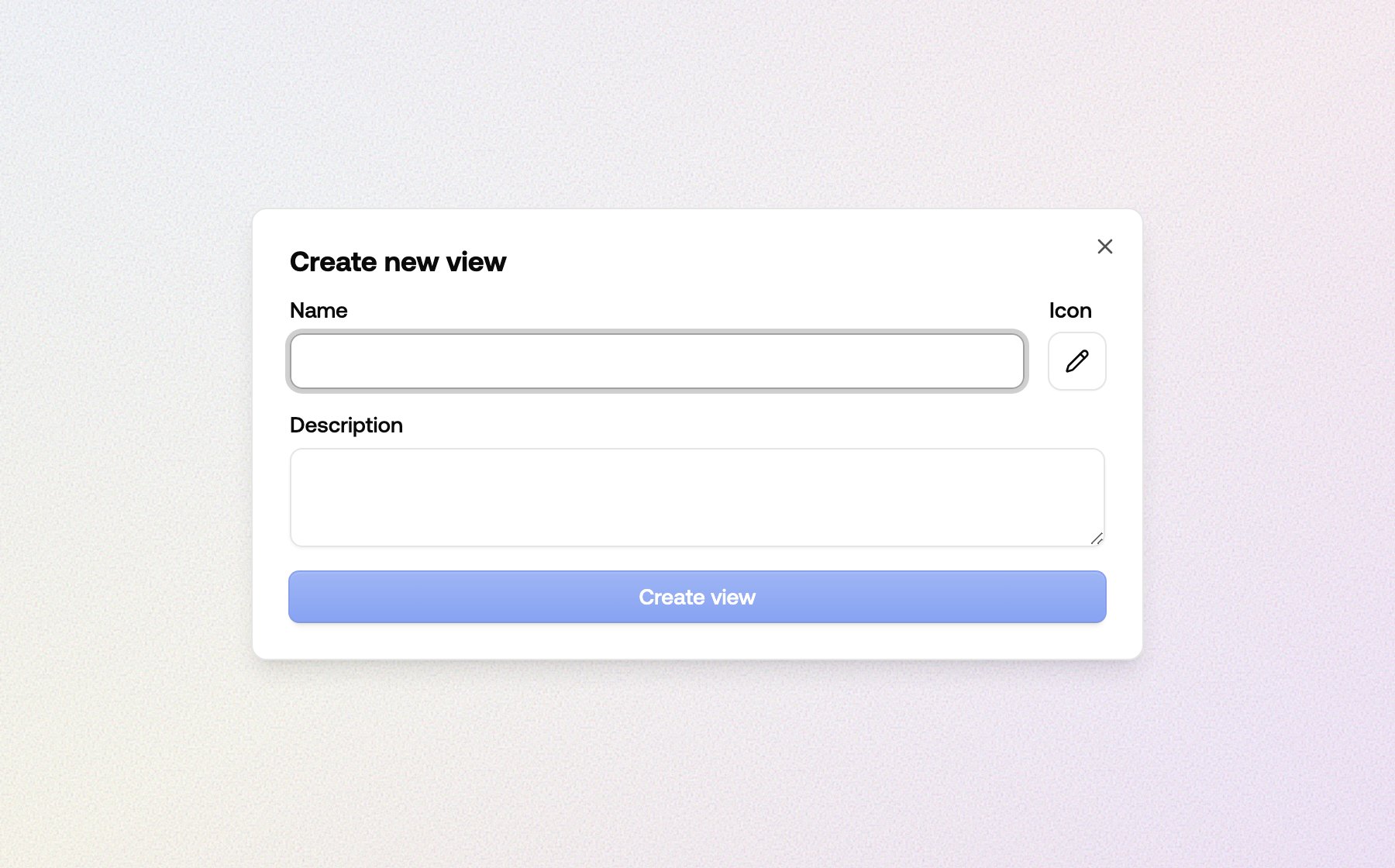 A new view starts with no filters at all, so it shows *everything* you've submitted
— including the content your rules handled automatically, which the inbox leaves
out. Narrow it with **Filter**.
Filters you set are yours alone until you press **Save**. Choose **Save to this
view** to make them the view's definition for everyone.
## Filter properties
Open **Filter** and pick a property. Values inside one property are OR'd together
("German *or* French"); separate properties are AND'd ("German *and* flagged for spam").
| Property | Selects |
| -------------------------------------------- | ------------------------------------------------------------------------------------------------------------------------------------ |
| **Label** | Content a policy label applies to. See [label rules](#label-rules) below. |
| **Channel** | The [channel](/get-started/concepts#channel) the content was submitted to. |
| **Action taken** | Content an [action](/actions/content-actions) has been run on — your own escalation, appeal or user-report actions. |
| **Recommendation** | What the automated decision recommended: review, allow or reject. |
| **Severity** | How severe the item scored, as a percentage. See [severity bands](#severity) below. |
| **Flag status** | Flagged, not flagged, or [shadow flagged](/content-moderation/thresholds). |
| **Date** | A rolling window ("Last 7 days") or a fixed range. Rolling windows keep rolling — a view set to 7 days always shows the last 7 days. |
| **Content type** | What the content *is*: profile, message, post, comment, product, review, event, voice. Taken from the `contentType` you submit. |
| **Media type** | The format: text, image, video, audio or object. |
| **Trust level** | The author's [trust level](/users/trust-levels). |
| **Language** | The detected language. |
| **Author**, **Content ID**, **Conversation** | One specific author, item or thread. |
**Author**, **Content ID**, **Conversation** and the search box are for looking
something up right now. They're never saved into a view.
### Label rules
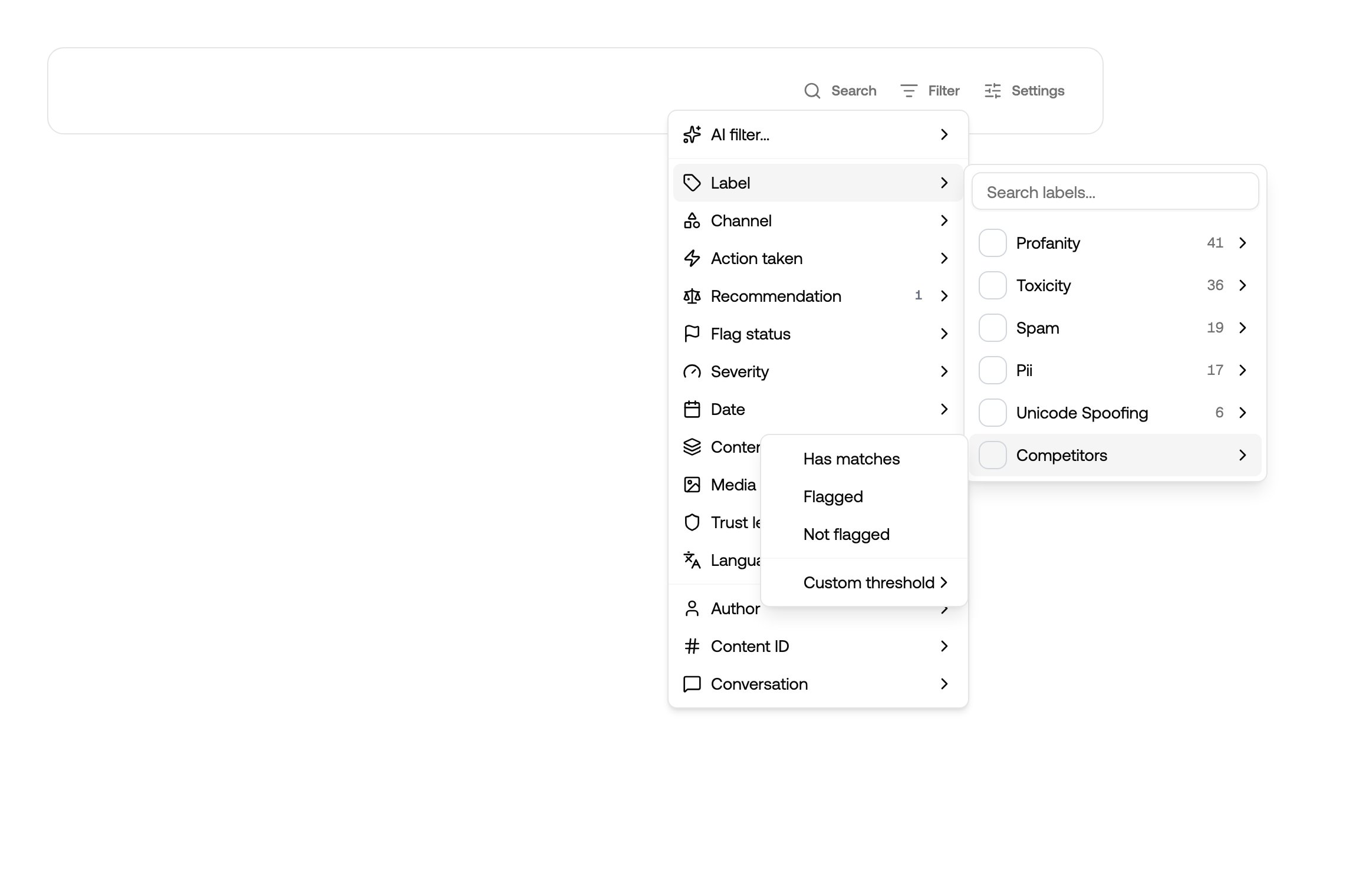
A label can be filtered four ways. Pick the rule when you add the label, or click its
pill to change it later.
A new view starts with no filters at all, so it shows *everything* you've submitted
— including the content your rules handled automatically, which the inbox leaves
out. Narrow it with **Filter**.
Filters you set are yours alone until you press **Save**. Choose **Save to this
view** to make them the view's definition for everyone.
## Filter properties
Open **Filter** and pick a property. Values inside one property are OR'd together
("German *or* French"); separate properties are AND'd ("German *and* flagged for spam").
| Property | Selects |
| -------------------------------------------- | ------------------------------------------------------------------------------------------------------------------------------------ |
| **Label** | Content a policy label applies to. See [label rules](#label-rules) below. |
| **Channel** | The [channel](/get-started/concepts#channel) the content was submitted to. |
| **Action taken** | Content an [action](/actions/content-actions) has been run on — your own escalation, appeal or user-report actions. |
| **Recommendation** | What the automated decision recommended: review, allow or reject. |
| **Severity** | How severe the item scored, as a percentage. See [severity bands](#severity) below. |
| **Flag status** | Flagged, not flagged, or [shadow flagged](/content-moderation/thresholds). |
| **Date** | A rolling window ("Last 7 days") or a fixed range. Rolling windows keep rolling — a view set to 7 days always shows the last 7 days. |
| **Content type** | What the content *is*: profile, message, post, comment, product, review, event, voice. Taken from the `contentType` you submit. |
| **Media type** | The format: text, image, video, audio or object. |
| **Trust level** | The author's [trust level](/users/trust-levels). |
| **Language** | The detected language. |
| **Author**, **Content ID**, **Conversation** | One specific author, item or thread. |
**Author**, **Content ID**, **Conversation** and the search box are for looking
something up right now. They're never saved into a view.
### Label rules
A label can be filtered four ways. Pick the rule when you add the label, or click its
pill to change it later.
 | Rule | Matches |
| ------------------------------ | ------------------------------------------------------------------------------------------------------------------------------------------------ |
| **Detected** / **Has matches** | The label was produced at all, whether or not it flagged. Named *Has matches* for wordlists, PII and link checks, which report concrete matches. |
| **Flagged** | The label flagged the content. |
| **Not flagged** | The label didn't flag it. |
| **Custom threshold** | The label's confidence falls in a range you set, e.g. 80–100%. |
**Detected** is the one worth remembering: it finds content a policy noticed but
deliberately let through — see [wordlist monitoring](/review/recipes/wordlist-monitoring).
| Rule | Matches |
| ------------------------------ | ------------------------------------------------------------------------------------------------------------------------------------------------ |
| **Detected** / **Has matches** | The label was produced at all, whether or not it flagged. Named *Has matches* for wordlists, PII and link checks, which report concrete matches. |
| **Flagged** | The label flagged the content. |
| **Not flagged** | The label didn't flag it. |
| **Custom threshold** | The label's confidence falls in a range you set, e.g. 80–100%. |
**Detected** is the one worth remembering: it finds content a policy noticed but
deliberately let through — see [wordlist monitoring](/review/recipes/wordlist-monitoring).
 ### Severity
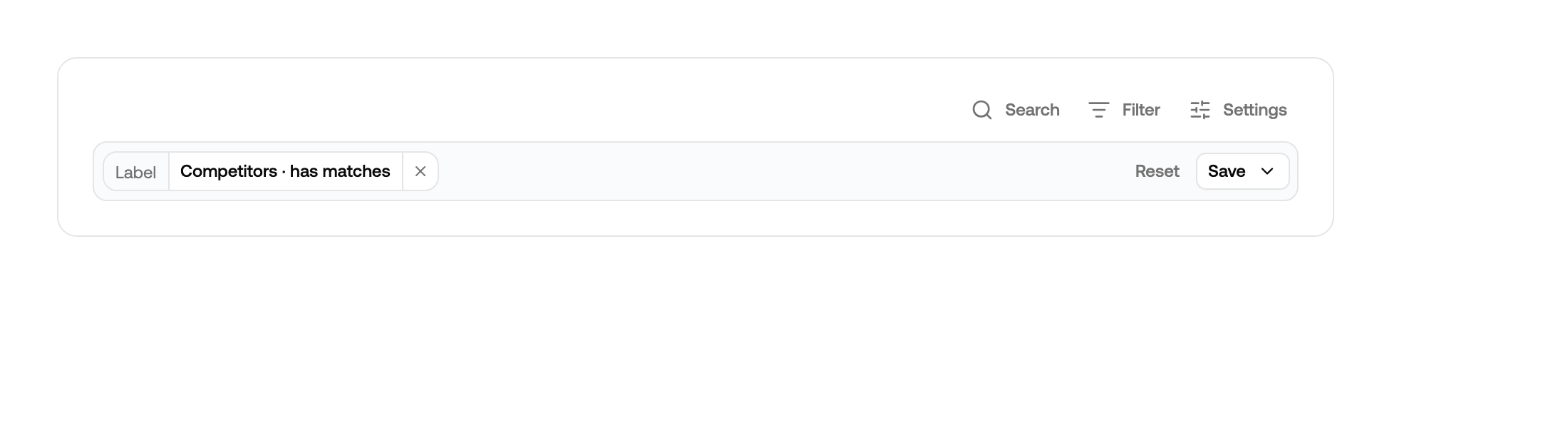
Severity is one number for how bad an item is, from 0 to 100%. It's the same figure
the **Severity** column shows, so a view and a badge never disagree.
| Band | Range |
| ---------- | ------------- |
| **High** | 70% and above |
| **Medium** | 40–69% |
| **Low** | up to 39% |
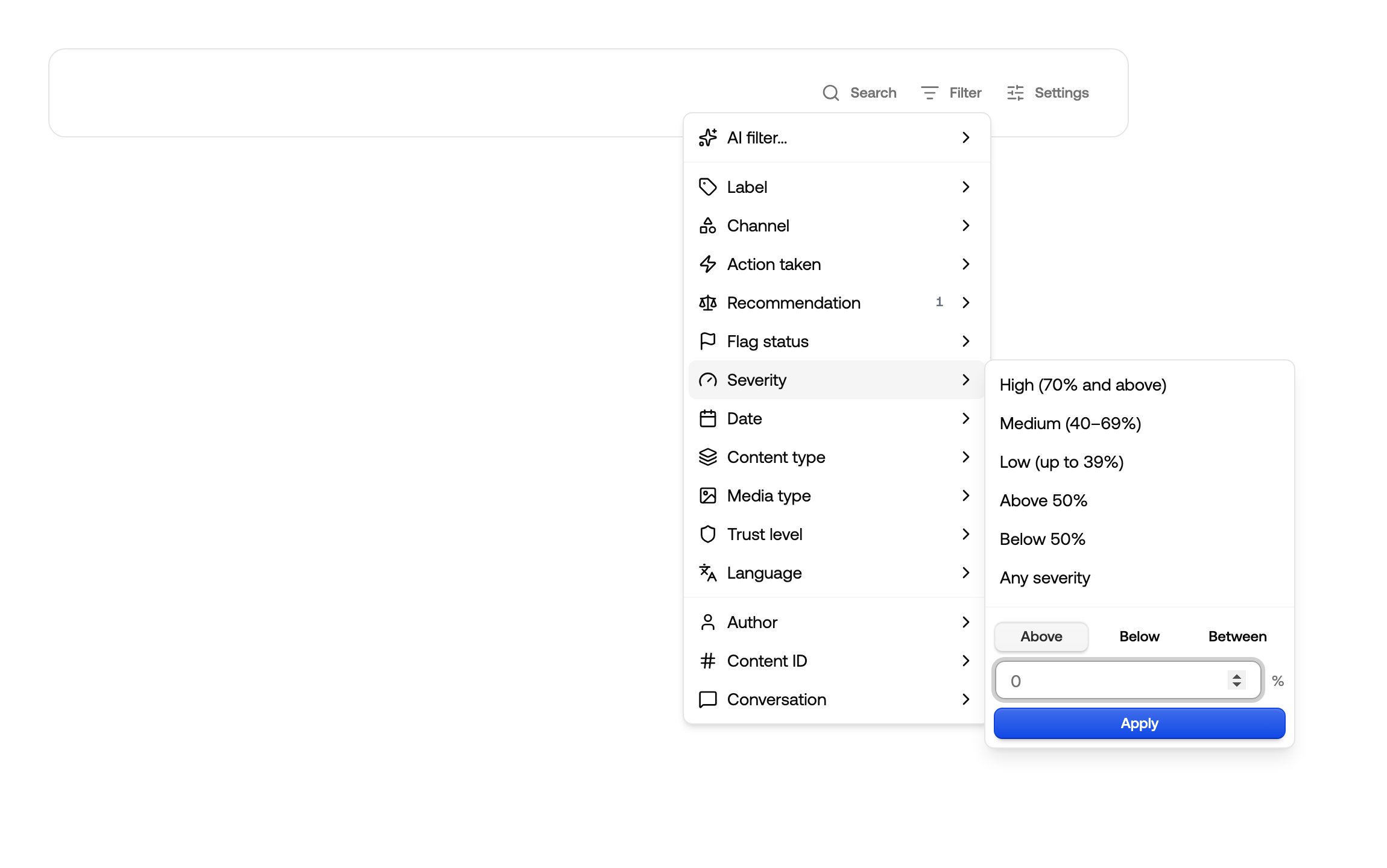
Pick a band, one of the *Above / Below 50%* shortcuts, or type your own bounds. Leaving
a bound empty means no limit on that side, so a chip can read *70% and above* rather
than pretending to be a range.
### Severity
Severity is one number for how bad an item is, from 0 to 100%. It's the same figure
the **Severity** column shows, so a view and a badge never disagree.
| Band | Range |
| ---------- | ------------- |
| **High** | 70% and above |
| **Medium** | 40–69% |
| **Low** | up to 39% |
Pick a band, one of the *Above / Below 50%* shortcuts, or type your own bounds. Leaving
a bound empty means no limit on that side, so a chip can read *70% and above* rather
than pretending to be a range.
 ## Describe a view instead of building it
**Filter → AI filter** turns a sentence into filters. Describe the slice you want —
"German listings flagged for spam in the last 7 days" — and the properties are filled
in for you.
## Describe a view instead of building it
**Filter → AI filter** turns a sentence into filters. Describe the slice you want —
"German listings flagged for spam in the last 7 days" — and the properties are filled
in for you.
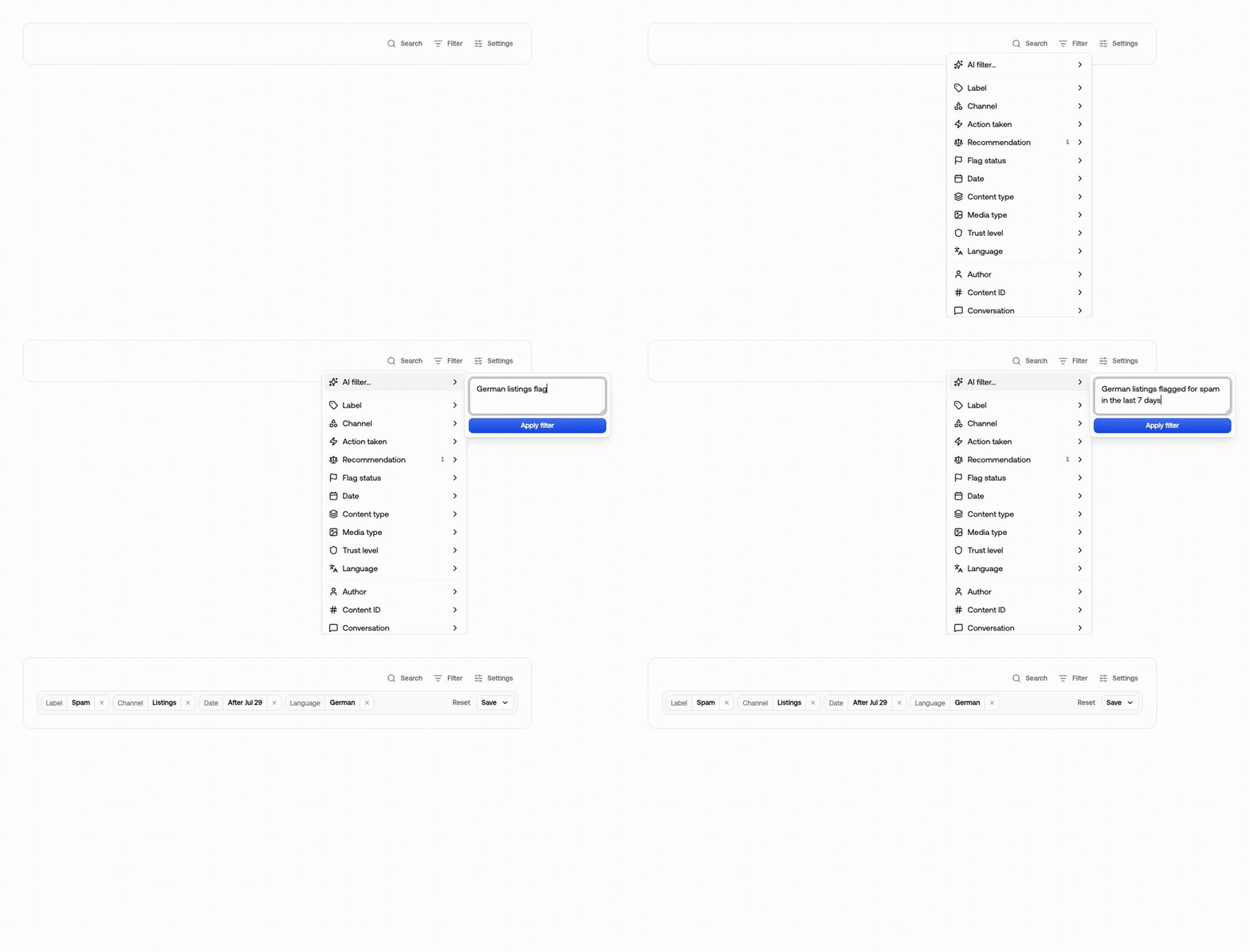 It edits what's already on screen rather than starting over, so you can keep going in
words: *"also exclude spam"* adds to the filter, *"drop the date limit"* removes it.
The result is ordinary pills — check them, adjust anything that's off, then save.
It can only use labels, channels and actions that exist in your project, so it works
best once your policies and actions are set up.
## Filters you set vs. the view's own
The pills under the filter bar show only where you've **diverged** from the saved
view. The view's own filters stay invisible: they're the baseline, not a change you
made. A pill reading *Any* means you cleared something the view restricts.
It edits what's already on screen rather than starting over, so you can keep going in
words: *"also exclude spam"* adds to the filter, *"drop the date limit"* removes it.
The result is ordinary pills — check them, adjust anything that's off, then save.
It can only use labels, channels and actions that exist in your project, so it works
best once your policies and actions are set up.
## Filters you set vs. the view's own
The pills under the filter bar show only where you've **diverged** from the saved
view. The view's own filters stay invisible: they're the baseline, not a change you
made. A pill reading *Any* means you cleared something the view restricts.
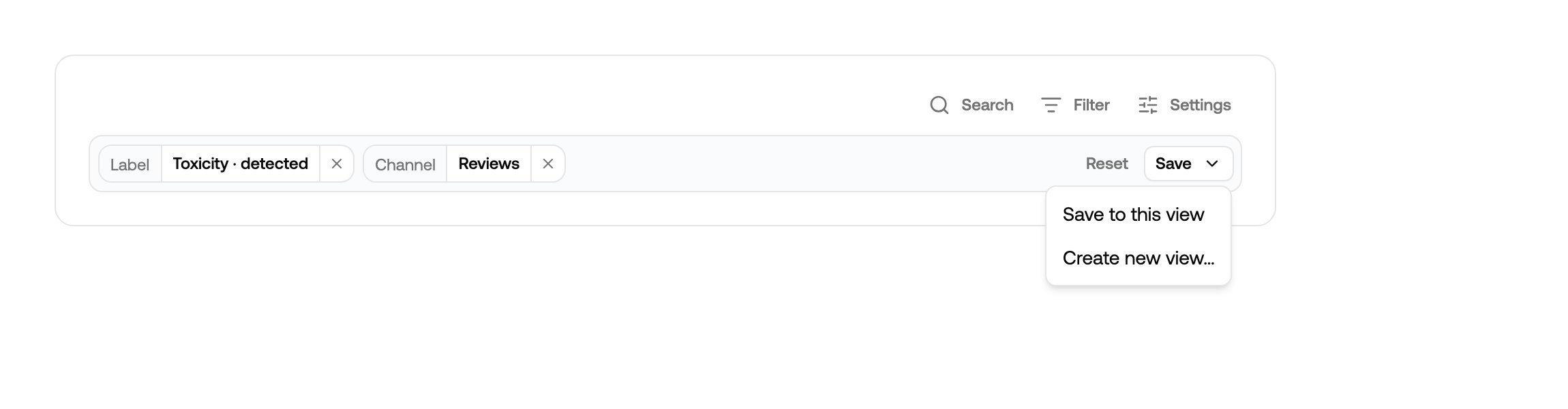 * **Reset** puts the view back the way it's saved.
* **Save → Save to this view** rewrites the view's definition. It's shared, so
everyone gets it.
* **Save → Create new view…** keeps the current view untouched and splits your
filters off into a new one.
On the inbox, only *Create new view* is offered — the inbox itself can't be narrowed.
Changing a view's filters is safe. Nothing is deleted, the list is simply
recalculated, and anything already resolved stays resolved if it comes back.
## Sharing and ordering
Views belong to the project, not to you: a filter you save to a view, and the order you
drag views into in the sidebar, is what everyone else sees too.
When you invite [moderators](/review/inviting-moderators) you choose which views they
can see, which is how a view becomes one team's queue.
* **Reset** puts the view back the way it's saved.
* **Save → Save to this view** rewrites the view's definition. It's shared, so
everyone gets it.
* **Save → Create new view…** keeps the current view untouched and splits your
filters off into a new one.
On the inbox, only *Create new view* is offered — the inbox itself can't be narrowed.
Changing a view's filters is safe. Nothing is deleted, the list is simply
recalculated, and anything already resolved stays resolved if it comes back.
## Sharing and ordering
Views belong to the project, not to you: a filter you save to a view, and the order you
drag views into in the sidebar, is what everyone else sees too.
When you invite [moderators](/review/inviting-moderators) you choose which views they
can see, which is how a view becomes one team's queue.