> ## Documentation Index
> Fetch the complete documentation index at: https://docs.moderationapi.com/llms.txt
> Use this file to discover all available pages before exploring further.
# Review queues
> What are review queues and how do they work?
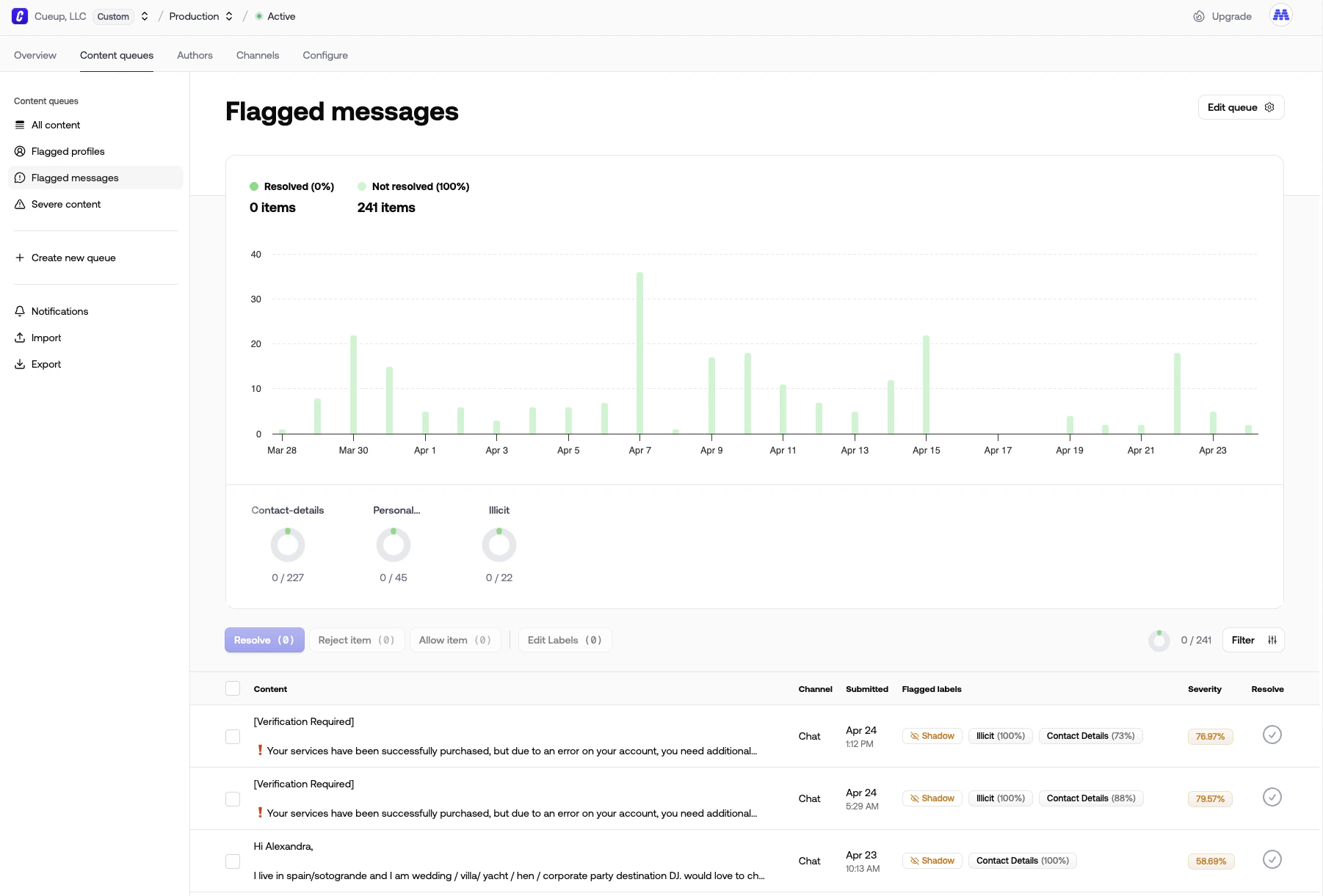 The moderation queue is a streamlined way to manually moderate content. It's an optional addition to the automated moderation.
Content submitted through the [moderation endpoint](/api-reference) will
enter the queue based on the queues filter.
The queue is a list of content that needs to be moderated. You can take
[actions](/actions/content-actions) on the content, such as approving or
rejecting it.
The goal is to [resolve](/review-queues/using-queues#resolving-content) all
content in the queue. Once all content is resolved, the queue is empty.
Items can be resolved by certain actions or by resolving them manually.
#### Some of the things you can do with review queues:
* Review content before it's published
* Perform a manual review of content that was automatically rejected
* Review content that was flagged by users
* Ban users that are submitting unwanted content
* Improve your models by correcting mistakes
* Get insights into the content that is being submitted
The moderation queue is a streamlined way to manually moderate content. It's an optional addition to the automated moderation.
Content submitted through the [moderation endpoint](/api-reference) will
enter the queue based on the queues filter.
The queue is a list of content that needs to be moderated. You can take
[actions](/actions/content-actions) on the content, such as approving or
rejecting it.
The goal is to [resolve](/review-queues/using-queues#resolving-content) all
content in the queue. Once all content is resolved, the queue is empty.
Items can be resolved by certain actions or by resolving them manually.
#### Some of the things you can do with review queues:
* Review content before it's published
* Perform a manual review of content that was automatically rejected
* Review content that was flagged by users
* Ban users that are submitting unwanted content
* Improve your models by correcting mistakes
* Get insights into the content that is being submitted