> ## Documentation Index
> Fetch the complete documentation index at: https://docs.moderationapi.com/llms.txt
> Use this file to discover all available pages before exploring further.
# Adaptive model optimization
> Learn how to use the review queue to improve your custom models automatically.
Please reach out to our support team to enable adaptive model optimization for
your account.
Adaptive models can be improved over time by using the review queue. In machine learning, this is called reinforcement learning. This is a way to improve the model by providing feedback on its performance. With Moderation API, you do this using the review queue. Here you can remove incorrect labels, add missing labels, and provide feedback to the model.
**Adaptive models can be useful for**
* Improving accuracy over time
* Adapting to changes in culture or language
* Getting started with a small dataset and improving it over time
## How to provide feedback
When viewing content in the review queue, you can correct the model's decision by removing labels or adding new ones.
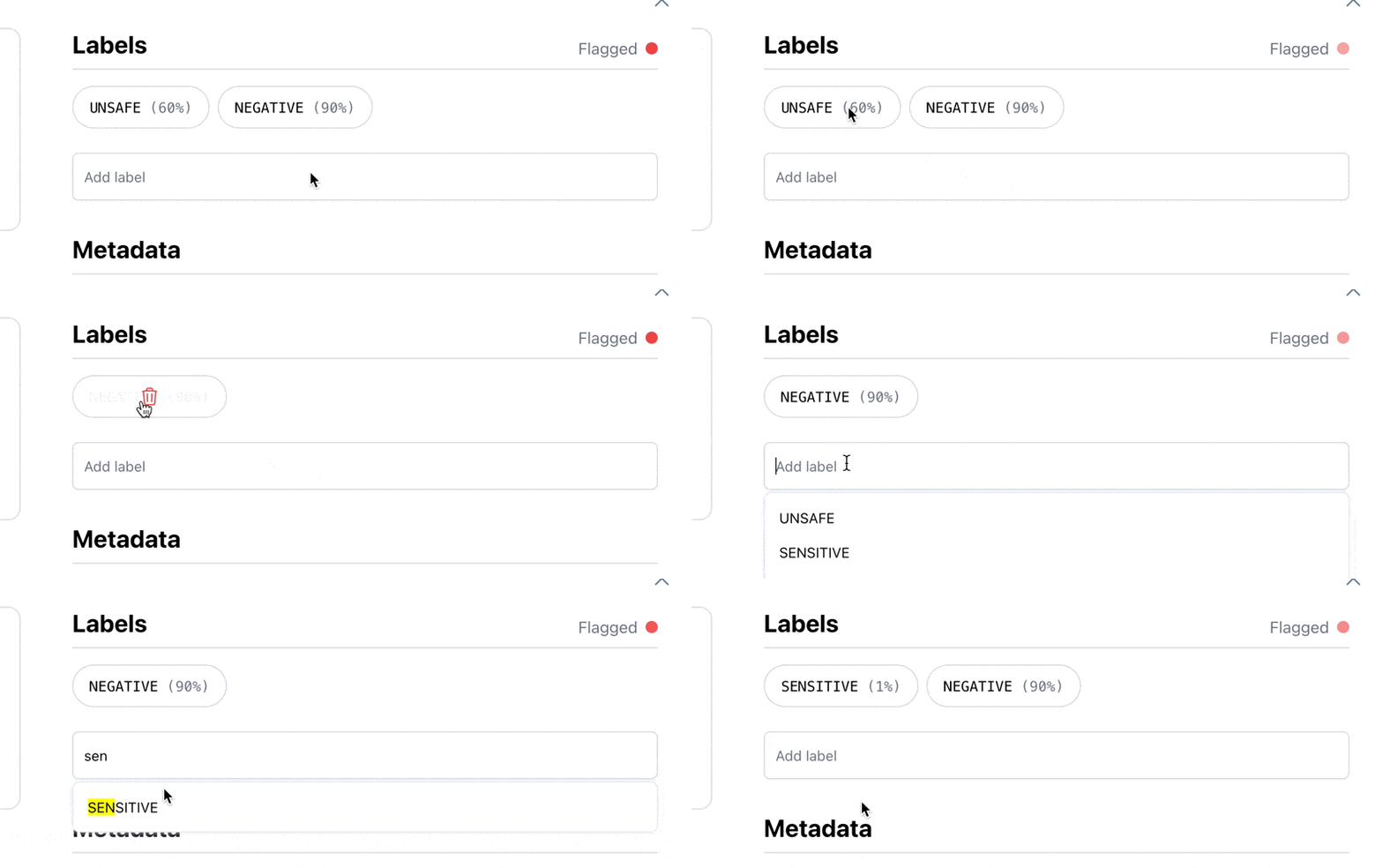 Next time you train a custom model, the feedback will be used for improving the model. You can also create a new model and import the corrected data to start with accurate training data.
## Automatically retraining models
If you already have a custom model, you can enable adaptive model optimization. This will automatically retrain the model on an ongoing basis with the feedback you provide in the review queue.
Retraining will happen in the background, and you will be notified when the model has been updated. This way, you can ensure that your model is always up-to-date and accurate.
Next time you train a custom model, the feedback will be used for improving the model. You can also create a new model and import the corrected data to start with accurate training data.
## Automatically retraining models
If you already have a custom model, you can enable adaptive model optimization. This will automatically retrain the model on an ongoing basis with the feedback you provide in the review queue.
Retraining will happen in the background, and you will be notified when the model has been updated. This way, you can ensure that your model is always up-to-date and accurate.