> ## Documentation Index
> Fetch the complete documentation index at: https://docs.moderationapi.com/llms.txt
> Use this file to discover all available pages before exploring further.
# Managing your casebook
> Import decisions you already have, resolve disagreements, forget cases, and audit what the casebook settles
## The ledger
The **Cases** table on the Casebook page lists everything the casebook has learned.
Search it, or filter by **Ruling** (Allowed / Rejected), **Label**, or **Topic** —
including *No topic*. Each row shows the content, the ruling, the labels, who decided
it, and **Times applied** — how many items that one decision has settled. Open a case
to see the full content and jump to the item it was decided on.
## Importing cases
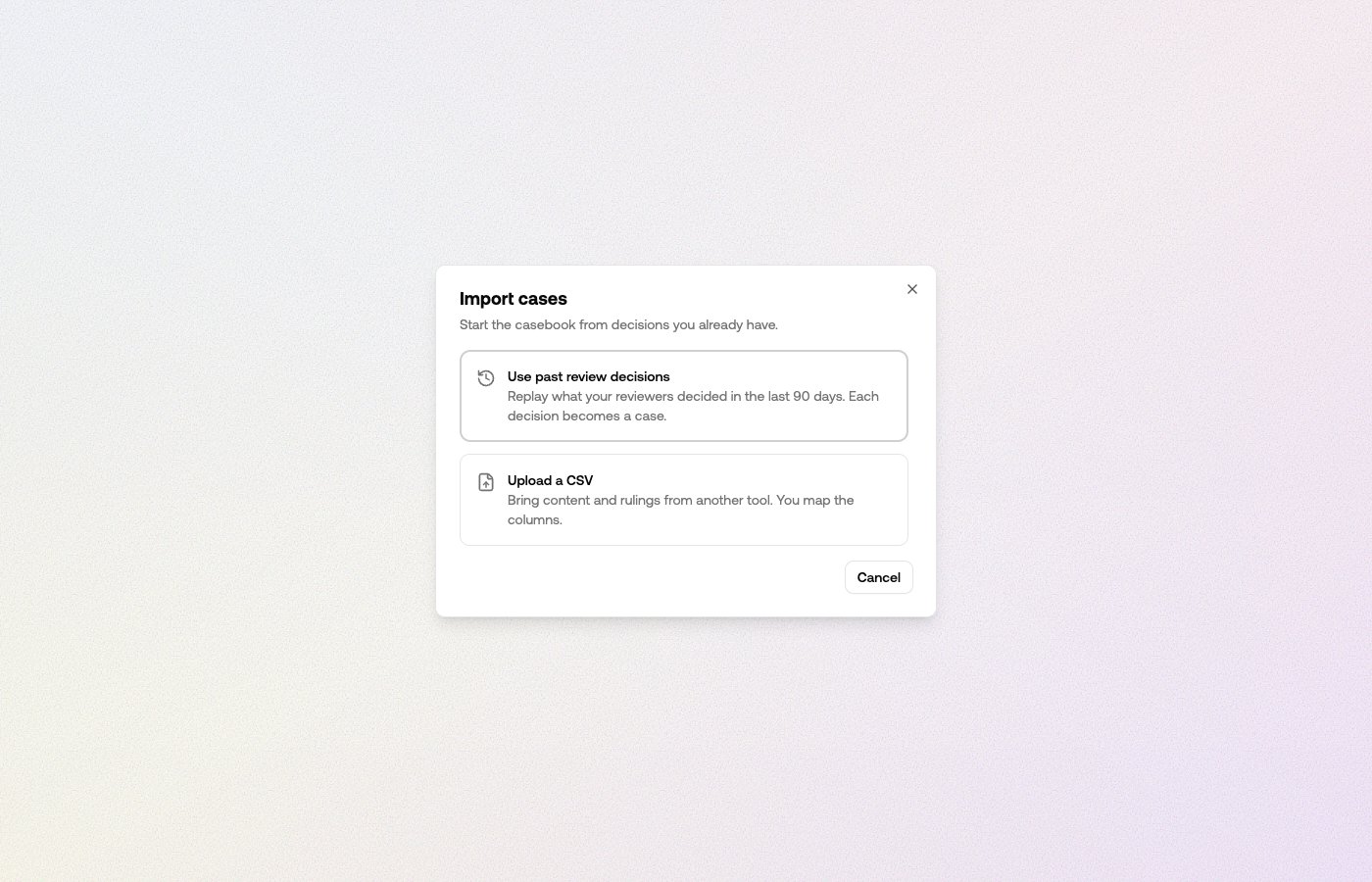 A casebook doesn't have to start from zero. **Import** on the Casebook page offers
two sources:
* **Use past review decisions.** Replays the last 90 days of your review-queue
decisions — each human allow or reject becomes a case. Decisions the casebook
already holds are skipped.
* **Upload a CSV.** Bring content and rulings from another tool. You pick the content
column, and map your own ruling values to *allow* or *reject* — nothing is guessed
for you. If the file has no ruling column, you can apply one ruling to every row.
Imports run in the background — close the wizard and keep working; the toolbar shows
a progress light while a run is live. Rows that can't be imported are counted and
reported without stopping the rest, and imported cases spend a short time learning
before they start matching content.
## Disagreements
Two cases that rule opposite ways on similar content block the casebook from ruling
on content like them — it applies neither until someone picks which ruling stands.
The **Disagreements** card counts them, and **Resolve** steps you through each group:
A casebook doesn't have to start from zero. **Import** on the Casebook page offers
two sources:
* **Use past review decisions.** Replays the last 90 days of your review-queue
decisions — each human allow or reject becomes a case. Decisions the casebook
already holds are skipped.
* **Upload a CSV.** Bring content and rulings from another tool. You pick the content
column, and map your own ruling values to *allow* or *reject* — nothing is guessed
for you. If the file has no ruling column, you can apply one ruling to every row.
Imports run in the background — close the wizard and keep working; the toolbar shows
a progress light while a run is live. Rows that can't be imported are counted and
reported without stopping the rest, and imported cases spend a short time learning
before they start matching content.
## Disagreements
Two cases that rule opposite ways on similar content block the casebook from ruling
on content like them — it applies neither until someone picks which ruling stands.
The **Disagreements** card counts them, and **Resolve** steps you through each group:
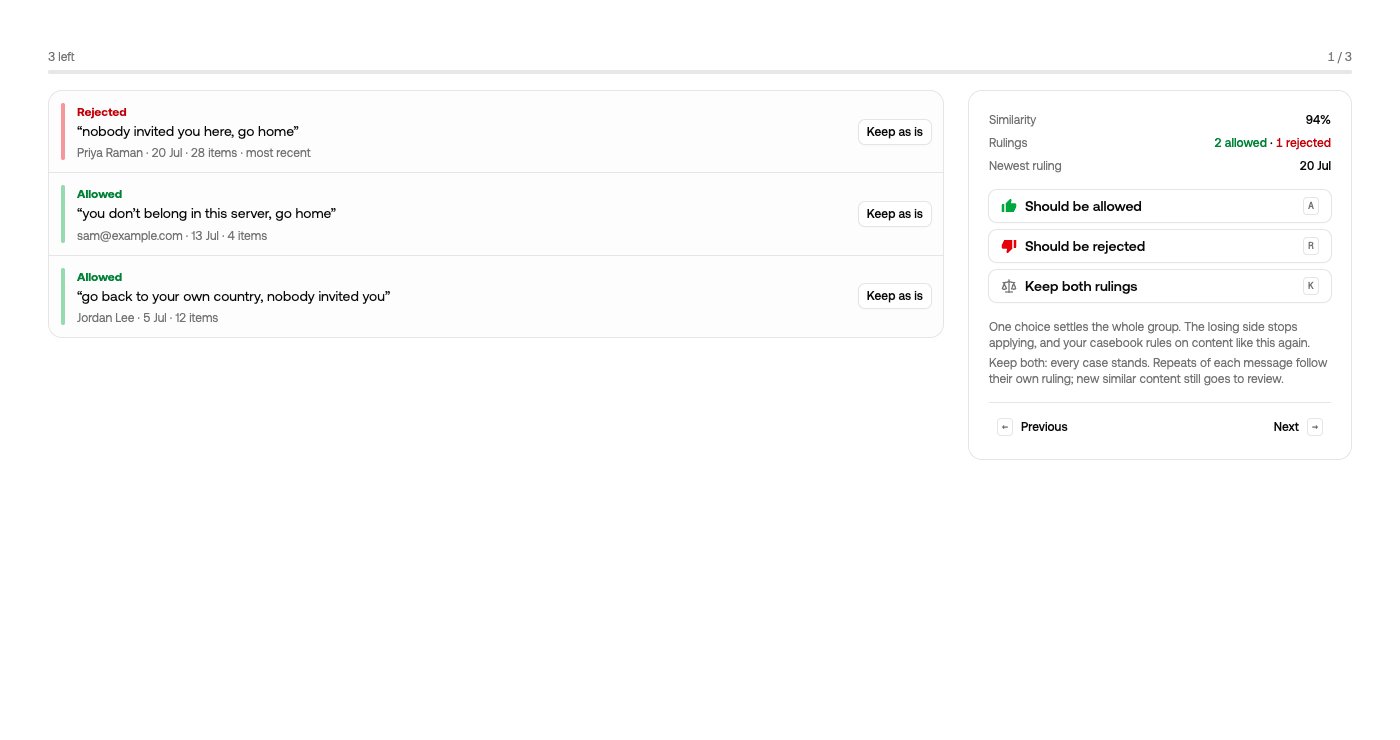 * **Should be allowed** / **Should be rejected** — one choice settles the whole
group. The losing side stops applying, and the casebook rules on content like this
again.
* **Keep both rulings** — every case stands. Repeats of each message follow their own
ruling, and new similar content still goes to review.
* **Keep as is** — hold an individual case out of the group decision.
## Forgetting a decision
* **Should be allowed** / **Should be rejected** — one choice settles the whole
group. The losing side stops applying, and the casebook rules on content like this
again.
* **Keep both rulings** — every case stands. Repeats of each message follow their own
ruling, and new similar content still goes to review.
* **Keep as is** — hold an individual case out of the group decision.
## Forgetting a decision
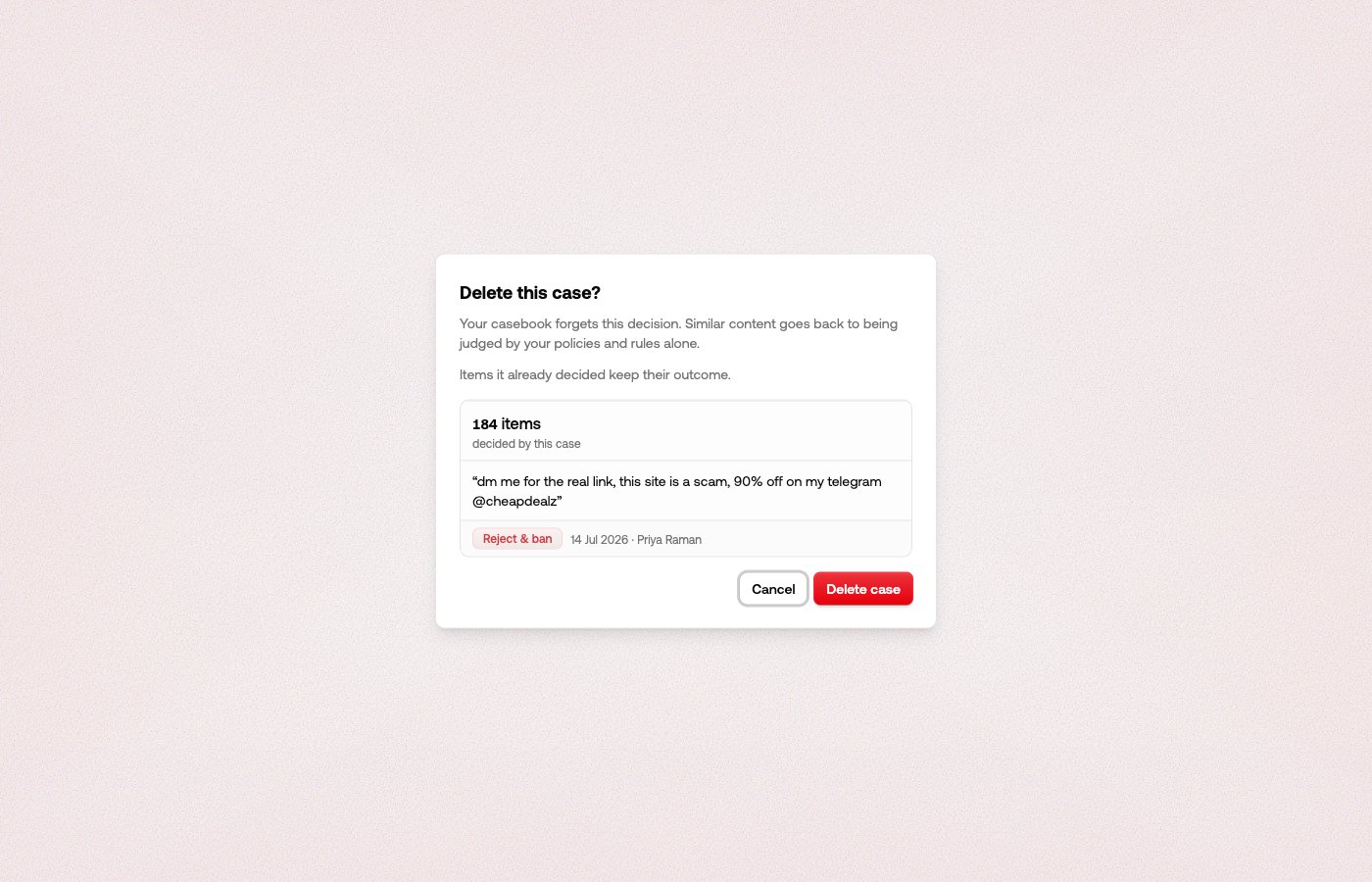 Deleting a case makes the casebook forget it: similar content goes back to being
judged by your policies and rules alone. Before you confirm, the dialog shows how
much weight the case carries — how many items it has decided. Items it already
decided keep their outcome; deleting only changes the future.
## Auditing what it settles
Deleting a case makes the casebook forget it: similar content goes back to being
judged by your policies and rules alone. Before you confirm, the dialog shows how
much weight the case carries — how many items it has decided. Items it already
decided keep their outcome; deleting only changes the future.
## Auditing what it settles
 The queue's [filters](/review/content-views) ask two casebook questions that combine:
* **Casebook** — what it said: *Casebook allowed*, *Casebook rejected*, or *No
casebook match*.
* **Casebook vs severity** — where it stood against severity triage: *Casebook
overruled* when they disagreed, *Casebook agreed* when they said the same.
Set both to narrow. *Casebook allowed* plus *Casebook overruled* is every item
severity triage would have held back that the casebook let through — the false
positives your moderators would otherwise re-approve by hand. **Handled for you** on the
Casebook page opens the same slice, and it's the one worth a periodic look once the
casebook is settling work for you: it's your team's own past judgement being applied,
so check that you still agree with it.
The queue's [filters](/review/content-views) ask two casebook questions that combine:
* **Casebook** — what it said: *Casebook allowed*, *Casebook rejected*, or *No
casebook match*.
* **Casebook vs severity** — where it stood against severity triage: *Casebook
overruled* when they disagreed, *Casebook agreed* when they said the same.
Set both to narrow. *Casebook allowed* plus *Casebook overruled* is every item
severity triage would have held back that the casebook let through — the false
positives your moderators would otherwise re-approve by hand. **Handled for you** on the
Casebook page opens the same slice, and it's the one worth a periodic look once the
casebook is settling work for you: it's your team's own past judgement being applied,
so check that you still agree with it.