> ## Documentation Index
> Fetch the complete documentation index at: https://docs.moderationapi.com/llms.txt
> Use this file to discover all available pages before exploring further.
# Content actions
> Reject, allow, and custom actions that run on individual queue items.
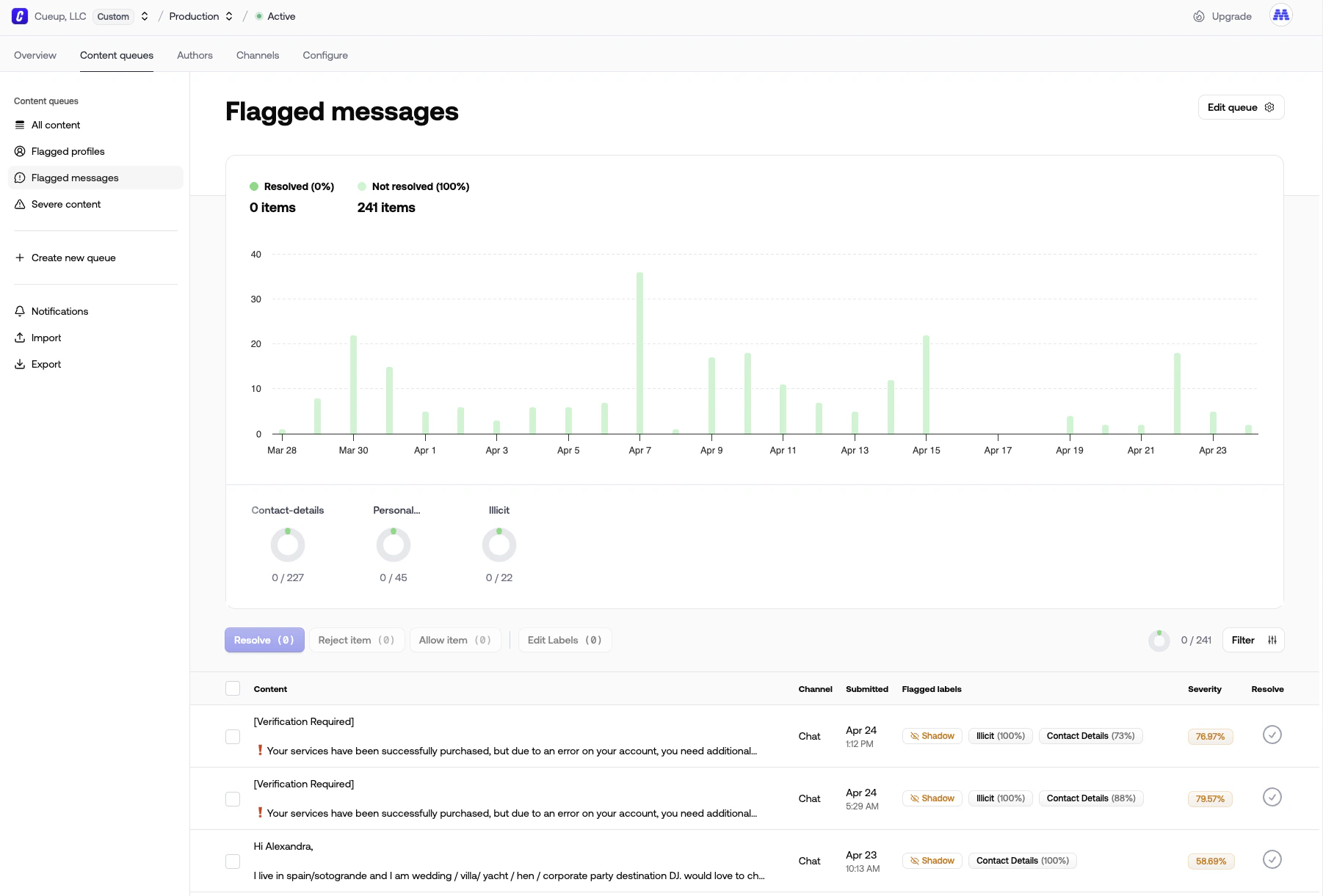 Content actions run against a single queue item. They're how moderators (and your application code) decide what happens to flagged content.
## Built-in actions
Two are always available:
* **Reject** — the item is rejected. Fires the `queue_item.rejected` [webhook event](/actions/webhooks).
* **Allow** — the item is approved. Fires the `queue_item.allowed` event.
## Custom actions
Beyond reject and allow, create custom content actions for any workflow you need — "Hide post", "Send to legal", "Escalate to senior moderator", "Republish to homepage". Custom actions appear in the queue alongside the built-ins and fire the generic `queue_item.action` webhook event.
We recommend using actions for things like:
* Publish approved content
* Remove rejected content
* Move items between queues (see [Routing between queues](#routing-between-queues))
* Anything your moderation flow needs
Configure actions under [**Configure → Actions**](https://dash.moderationapi.com/project/latest/configure/actions).
## Resolving an item when an action runs
An action can be configured to resolve the item automatically when it runs, removing it from the queue. This saves moderators a step — they don't have to click "resolve" after taking an action.
## Adding a value
Actions can carry a value — a reason ("spam", "harassment"), a category, a duration, or any free-text input. Configure the available values per action:
* **Predefined values** — show a dropdown of options
* **Free text** — show a text input
* **Both** — predefined options plus an "Other" free-text fallback
The value is included in the [webhook payload](/actions/webhooks) so your application can branch on it.
## Routing between queues
You can use actions to move content between queues. Create a new queue that filters for items with a specific action performed, and any item that gets that action will appear in the new queue automatically.
## Running actions programmatically
Trigger any action — built-in or custom — from your own systems via the [execute action endpoint](/api-reference/actions/execute-moderation-action).
## Integrating with your app
Pair actions with [webhooks](/actions/webhooks) to react in real time, or use one of our [platform plugins](https://moderationapi.com/integrations) for direct integrations with Discord, Slack, WordPress, and more.
Content actions run against a single queue item. They're how moderators (and your application code) decide what happens to flagged content.
## Built-in actions
Two are always available:
* **Reject** — the item is rejected. Fires the `queue_item.rejected` [webhook event](/actions/webhooks).
* **Allow** — the item is approved. Fires the `queue_item.allowed` event.
## Custom actions
Beyond reject and allow, create custom content actions for any workflow you need — "Hide post", "Send to legal", "Escalate to senior moderator", "Republish to homepage". Custom actions appear in the queue alongside the built-ins and fire the generic `queue_item.action` webhook event.
We recommend using actions for things like:
* Publish approved content
* Remove rejected content
* Move items between queues (see [Routing between queues](#routing-between-queues))
* Anything your moderation flow needs
Configure actions under [**Configure → Actions**](https://dash.moderationapi.com/project/latest/configure/actions).
## Resolving an item when an action runs
An action can be configured to resolve the item automatically when it runs, removing it from the queue. This saves moderators a step — they don't have to click "resolve" after taking an action.
## Adding a value
Actions can carry a value — a reason ("spam", "harassment"), a category, a duration, or any free-text input. Configure the available values per action:
* **Predefined values** — show a dropdown of options
* **Free text** — show a text input
* **Both** — predefined options plus an "Other" free-text fallback
The value is included in the [webhook payload](/actions/webhooks) so your application can branch on it.
## Routing between queues
You can use actions to move content between queues. Create a new queue that filters for items with a specific action performed, and any item that gets that action will appear in the new queue automatically.
## Running actions programmatically
Trigger any action — built-in or custom — from your own systems via the [execute action endpoint](/api-reference/actions/execute-moderation-action).
## Integrating with your app
Pair actions with [webhooks](/actions/webhooks) to react in real time, or use one of our [platform plugins](https://moderationapi.com/integrations) for direct integrations with Discord, Slack, WordPress, and more.